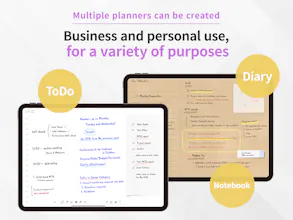
Planner for iPad is almost like a paper planner on iPad, but is designed to be more flexible to use than papers.Being able to handwrite with the Apple Pencil, it also integrates with Calendar and Reminder, combining the best of digital with the best of analog.
No reviews yetBe the first to leave a review for Planner for iPad
Viktor.comAn AI coworker that actually does the work
Promoted
Maker
📌
Hi Product Hunters,
I am an iOS app developer from Japan.
Today I would like to introduce a digital planner app I developed for iPad & ApplePencil.
- What is a digital planner?
A digital planner is an application based on a calendar application for use as a schedule management, task management, or diary by handwriting directly on top of the calendar.
It usually requires a tablet device and a device for handwriting input (e.g. Apple Pencil).
- Why a digital planner?
Why do you need to manage your schedule by handwriting when you have Google Calendar or Apple Calendar?
The answer lies in the freedom.
When using digital tools like Google Calendar, the input methods and layouts are precisely defined by the application.
This constrains the way we think and inhibits our best performance at work and in our daily lives.
For this reason, it is extremely important for managing daily schedules and tasks to allow the person writing them to freely decide what, where, and how to write them down, just as in a paper planner.
Schedule management is not just about keeping a schedule.
It is also about generating new ideas and, conversely, discarding unnecessary thoughts.
In addition, a planner is ideal for expressing information visually, using diagrams and sketches as well as text.
It is a good way to organize your ideas and creative thoughts.
- Why not a note-taking app?
There are many excellent note-taking apps for the iPad.
It is possible to create a digital planner by loading schedule management templates onto these apps.
However, note-taking apps are fundamentally designed for note-taking purposes, lacking specialized features for schedule management, such as integration with Google or Apple calendars and Reminder apps.
The user experience between note-taking apps and apps designed for planners is vastly different.
- Writing is fun!
The sensation of handwriting with the Apple Pencil is significant, bringing a human warmth to the virtual digital world.
Drawing lines on the calendar instead of typing start and end times on the keyboard, or when you're done with a TODO, instead of hitting a checkbox, "Done!" stamping is a fun way to go beyond simply keeping track of your schedule.
In Japan, we have a deep culture of using paper planners to manage our schedules and organize our daily thoughts.
We use scraps of paper, pens and stamps, sticking pictures, making to-do lists, and leaving daily thoughts.
This app was created with the goal of capturing that culture and bringing the experience of a paper planner to the iPad, as well as providing a planner experience that surpasses the paper one.