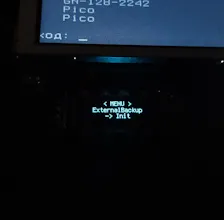
Hardware automation controller for Raspberry Pi Pico - OLED display, rotary encoder, HID keyboard, emergency triggers - makepkg/pico-admin-hid Build complex automation pipelines visually via an offline web UI, trigger scripts instantly, and use magnetic Hall sensors as hardware panic buttons.
Hi Product Hunt! 👋 I’m excited to share Pico Commander with you.
As a dev managing headless servers and Docker containers, I got tired of switching windows or relying on expensive, proprietary macro pads just to run basic automation tasks. So, I built a $15 alternative using a Raspberry Pi Pico (RP2040) and open-sourced the whole thing.
Here is what makes it special:
Zero Drivers: It acts as a standard USB HID keyboard. Plug and play on any OS.
Visual Automation Pipelines: You don't need to write C++ or Python scripts. I built an offline HTML/JSON web tool where you can visually map out complex command sequences (e.g., type command -> wait 200ms -> press enter -> type next command).
Hardware Panic Button: I integrated support for Hall effect sensors. You can hide a magnetic sensor under your desk to instantly trigger a priority scenario—like a safe server shutdown or locking your workstation—bypassing standard UI navigation.
The GitHub repo has all the schematics, code, and the web editor ready to go. If you have some spare parts lying around, you can build this in 10 minutes.
I would love to hear your feedback or ideas for new hardware triggers! Let me know what you think.
Report
No reviews yetBe the first to leave a review for Pico Commander