
PdfForAll
Offline-first, versatile PDF editor with video, form & OCR
7 followers
Offline-first, versatile PDF editor with video, form & OCR
7 followers
PdfForAll is a lightweight, offline-first PDF suite. Natively supports standard annotations while introducing unique features: direct offline TXT/Word/Excel conversion, smart form and table filling, perspective photo albums, and interactive MP4 video embeds (SerVideoPlayer). Free, 100% private, no ads!




The SerVideoPlayer feature is genuinely surprising—I embedded an MP4 into a PDF and it played smoothly without any internet connection. That alone makes this worth keeping on my desktop.
@ahinx4q3 Hi Şahin, thank you so much for the kind words and for testing the app!
I spent many late nights building and optimizing the offline "SerVideoPlayer" engine to ensure that multimedia PDFs could be 100% portable, fast, and secure without relying on cloud servers or an internet connection.
Hearing that it runs smoothly on your side means the world to me as an independent developer. Let me know if you have any other feedback or features you'd like to see!
Hi Product Hunt community, I wanted to share a major update. I just released version 1.1-beta6.1 on the Google Play Store!
Based on great user feedback, I have majorly improved the offline text replacement engine. Instead of always using a single fallback font, the app now automatically detects the original font family of the text you want to replace and maps it to the standard PDF equivalent, managing bold styles automatically as well.
The three supported families are:
1. Sans-Serif
Caratcters such as Arial, Roboto, Calibri, Segoe UI, Helvetica, Verdana, Open Sans, Tahoma, Futura, and Impact are recognized and written on the PDF using Helvetica or Helvetica Bold.
2. Serif
Caratcters such as Times New Roman, Times, Georgia, Garamond, Cambria, Palatino, Bodoni, and Baskerville are recognized and written on the PDF using Times Roman or Times Bold.
3. Monospace
Caratcters such as Courier, Courier New, Consolas, Monaco, Lucida Console, and Source Code Pro are written on the PDF using Courier or Courier Bold.
How the Text Selection Works:
To ensure there is no confusion on how to select and replace text, here is the exact workflow:
1. Long-press directly on the word or phrase you want to modify for 500 milliseconds. This is half a second. This action will instantly activate the precise text-selection overlay.
2. Use the selection handles to highlight the exact portion of the text you want to replace.
3. Type your new text in the editor toolbar.
4. Click APPLY. The app will automatically place an invisible white out bounding box over the old text and write the new text with the matched font family.
Please update the app to the latest version to try out these new features. You can find the link to the Google Play Store and our official website in the first post of this thread.
Thank you so much, and I look forward to hearing your thoughts!
Hi Product Hunt community! Quick update: PdfForAll just passed 100 downloads!
I just released version 1.1-beta6.2 on the Google Play Store, bringing a massive upgrade to our offline text editor:
- Multi-Line Editing: You can now select and edit multiple lines of text at once. All selected lines are grouped into a single selection box, allowing continuous word-processor-like editing on the PDF.
- Advanced Top Toolbar: Change font styles, text colors, and selection highlight colors in real-time.
- Simplified Selection: Long-press for 500 milliseconds to activate.
Please update the app to try these new features out. I would love to hear your thoughts and get your feedback!
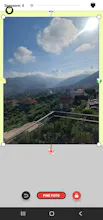
Good morning, I would need opinions on the function of the video and photo scanner which are modelable and there is the possibility of inserting filters, masks and modeling for both photos and videos. Thanks.