Launching today

PDFBankToExcel
Convert PDF bank statements to Excel & QuickBooks locally
3 followers
Convert PDF bank statements to Excel & QuickBooks locally
3 followers
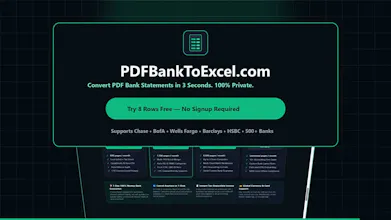
Convert PDF bank statements to Excel (.xlsx), CSV, QuickBooks (.QBO), and Xero 100% locally in your browser with zero server uploads. Features multi-PDF batch merging, running-balance math reconciliation, and IRS/HMRC tax categorization.


Launch Team

Render: Get up to $100K in startup creditsCloud infrastructure for founders who want to move fast and NOT break things
Promoted


Hey Product Hunt!
I built PDFBankToExcel (https://pdfbanktoexcel.com) because every time I or a bookkeeper tried to convert a multi-page PDF bank statement into Excel or QuickBooks, we ran into two painful problems:
1. Privacy risk: Almost every online PDF converter uploads your raw financial PDFs (with your full account number, home address, and transaction history) to a remote cloud server.
2. Broken tables: Generic PDF-to-Excel tools put every PDF page on a separate misaligned tab, dump headers and bank logos into the numbers, and don't verify if a decimal got misread.
So I built a 100% client-side converter that runs entirely inside your browser's local memory using WebAssembly:
- Zero Server Uploads: You can literally turn off your Wi-Fi after opening the page and drop your PDF in—your financial data never leaves your computer.
- Running-Balance Math Audit: Automatically checks `Prior Balance + Deposits - Withdrawals = Ending Balance` across every row and flags `0.00 DIFF` so you know 100% of rows reconciled accurately.
- Multi-PDF Batch Merging: Drop 12 monthly statements at once and get a single chronological full-year ledger.
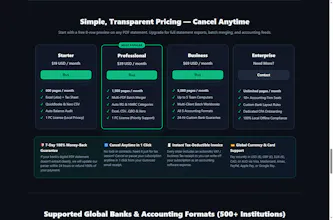
- Accounting-Ready Exports: 1-click export to multi-sheet Excel (.xlsx), Standard CSV, QuickBooks Online CSV, native QuickBooks Desktop Web Connect (.QBO / .OFX), and Xero CSV, complete with US IRS Schedule C & UK HMRC tax categorization.
You can test it right now without signing up (or click "Load Demo Statement" on the homepage to see it in action). Would love your feedback!