
PDF Dark Mode
Read PDFs comfortably at night
19 followers
Read PDFs comfortably at night
19 followers
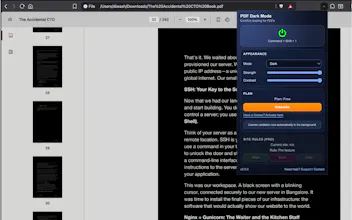
PDF Dark Mode is a browser extension that adds customizable dark mode support for online and offline PDF files. 30K+ Weekly Active Users.


Free
Launch Team / Built With


Tines The single, secure environment for agents, apps, and automations.
Promoted
Would love to see a per-site color override so I can keep Google Scholar PDFs in a softer dark gray for late-night reading.
@sibel1151869 Hi Sibel, it has per-site color override option. It is under the advanced tab.
Been using this for a while and it works great on most PDFs. One thing that would be nice is the ability to save separate color presets for different document types, like one warm tone for reading articles and a higher contrast mode for technical manuals with diagrams. Would save me from adjusting settings every time I switch between work docs and ebooks.
@ikratekmen32688 Thank you for your feedback, ikra. Currently we have per-site rule for enabling the dark mode. But persisting color overrides would be a plus.
Would love to see a keyboard shortcut toggle so I can flip between dark and light mode instantly without clicking the extension icon. Also a sepia or warm tone option would be easier on the eyes during long reading sessions.
@hayrettinkqn4e Hi Hayrettin, the extension already has the keyboard shortcut to toggle the mode. Cmd + Shift + 1
also, you can adjust the color tone with adjustment sliders.
been using this for a few days and honestly the offline PDF support is what sold me, most dark mode tools skip that part. the contrast slider is a small touch but makes a real difference on long reading sessions.
@neslihantbkqjo Thank you. Glad you liked the tool.
finally something that handles my downloaded pdfs too, not just the ones in chrome. the warm paper tone is easy on my eyes at night.
@tuncaysabaunct Glad you liked it, Tuncay.
Really exciting to see PDF Dark Mode live today. Big congratulations to everyone behind it! 🚀🚀
@zvonimir_sabljic1 Thank you so much, Zvonimir.