Passage

Passage

Explore & Create Immersive Environments on Apple Vision Pro

5.0
1 review

5 followers

Explore immersive environments by artists and photographers, or make your own with AI. Use a cutout to see your keyboard and desk, and use the in-app browser to stream video and music. Get work done anywhere on the web or write offline in our editor.
Passage gallery image
Free Options
Launch Team / Built With
Anima Playground
AI with an Eye for Design
Promoted

What do you think? …

Matt Waller
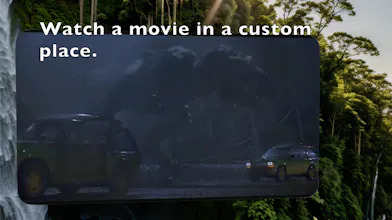
Using the Apple Vision Pro, one of my favorite things to do is just turn on one of the system environments, focus up, and get to work. Like that moment when you put on the headphones to get really in the flow. We wanted more of that. So we've made essentially the start of a Netflix of immersive environments. You can make a cozy cabin for creative writing or journaling in the offline browser. You can use the browser for Google Docs at the top of an actual photograph of Hong Kong from a high rise. And of course, I've generated places and then streamed related shows. Rainforest island for Jurassic Park? On it. You can jump in and try artist/photographer worlds. And even without subscribing to the free trial, you can generate your own in the creation section. We have our custom cutout to see the keyboard and desk and drink and all. You can rotate the world to pick the best vista. And we still have the in-app browser and offline text editor for productivity and/or watching YouTube, other streaming, etc. So there is stuff to do! For folks on the beta that haven't heard, as a PSA, you can get your Mac Virtual Display inside immersive environments (our app, VRChat, etc), by enabling it in the developer settings of the AVP, which you can get by connecting to Xcode and pairing. It's a hassle, but now I get actual coding work done while in or custom environments. Anyway, let us know what you think!