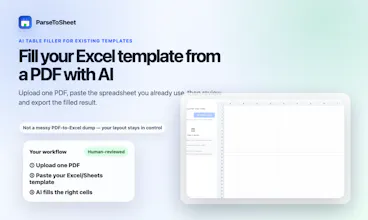
Upload one PDF and paste your existing Excel template. ParseToSheet's AI fills the right cells and columns for you. Then chat to fix values, move fields, add formulas, or total things up — and review everything before you export.
No reviews yetBe the first to leave a review for ParseToSheet
Framer AI AgentsDesign and publish professional sites with AI
Promoted
Maker
📌
Hey Product Hunt 👋
Most "PDF to Excel" tools dump a raw, messy grid that doesn't match how you actually track things. ParseToSheet works the other way around: you bring your own Excel template, and the AI fills your structure.
How it works:
1. Upload one PDF. We handle one PDF at a time on purpose — it keeps the result easier to review and correct.
2. Paste your existing Excel or Sheets template.
3. The AI maps the PDF's data into the right cells and columns of your layout.
4. Chat to adjust — fix a value, move a date column, add a SUM for the total, or reshape a section.
5. Review the result, then export.
It's built for people who already have a sheet they trust — bookkeepers, finance folks, ops teams, freelancers — and just want the data to land in the right place without re-typing.
A note on expectations: AI extraction isn't perfect, so the whole flow is designed around reviewing and correcting before export. You're always the final check.
Would love your feedback — especially on which template shapes trip it up.