
Orbit Dock Pro
A macOS launcher that opens at your cursor
2 followers
A macOS launcher that opens at your cursor
2 followers
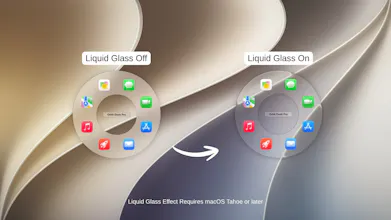
Orbit Dock Pro is a Mac launcher for apps, files, and folders, built around your cursor. Open it with a hotkey or by moving to a trigger area on screen, then click to launch instantly. Build separate profiles for work, design, or code, each with its own shortcut and layout. One-time purchase, no account, no subscription. Everything runs locally on your Mac.


Payment Required
Launch Team

AWS Startup AdvisorPersonalized AWS guidance that meets you where you’re already building
Promoted
Hey Product Hunt! 👋
I'm Okan, an indie Mac developer. For the past several months, I've been quietly building Orbit Dock Pro.
💭 The problem
Every launcher on my Mac wanted me to type: hit a shortcut, type a few letters, hit enter. That's genuinely fast when you know what you're looking for. But a lot of the time, I didn't want to name an app. I just wanted the one that lives in that specific spot, the third one over, the one I reach for twenty times a day.
🔍 What I built
A launcher you point at instead of type into.
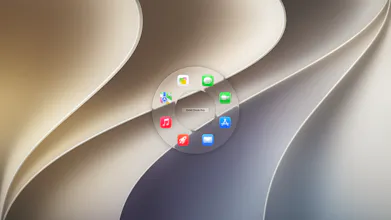
Press a hotkey, and Orbit Dock opens right around wherever your cursor already is. Click on what you need, and it opens instantly. That's the whole interaction. Everything sits in the exact same position every time. After a day or so, your hand just knows, and you stop looking at it entirely.
📂 What it can hold
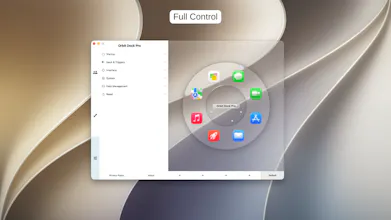
Up to 10 separate profiles, each with its own hotkey, and up to 10 items per profile (apps, files, or folders / whatever you actually reach for). For context, my "design" profile and my "writing" profile have almost nothing in common.
🎨 Highly customizable
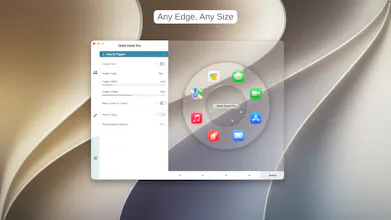
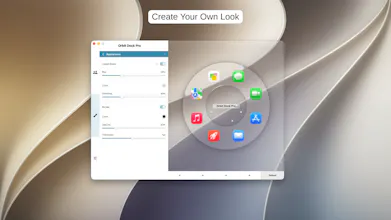
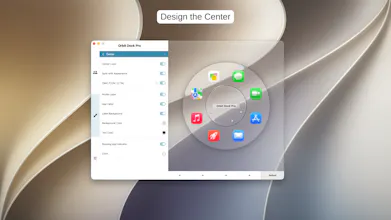
Size, colors, glass intensity, highlight style, motion, and borders. Sliders, not presets. Plus, there is a hands-free mode: selection on hover, no clicking. I built it for accessibility and now use it with a trackpad constantly.
⚙️ Other details
14 languages
No account, no analytics, no tracking, no subscription.
One-time purchase, everything stays locally on your Mac.
Import and export are just basic files.
💰 Pricing & The "no-trial" thing
It's normally $9.99, but it's $4.99 through September 27 to celebrate the launch.
It's a paid app with no trial, which I know is a real ask from a developer you've never heard of. So, if you'd rather try it before deciding, just say so in the comments and I'll send you a promo code (limited supply). I have a stack of them, and I would much rather someone actually use the app than buy it blind.
I'll be around all day! Genuinely curious to hear what you think, especially if you're a heavy keyboard-launcher person who thinks this is a bad idea. Those are always the most useful comments I get.
Cheers,
Okan