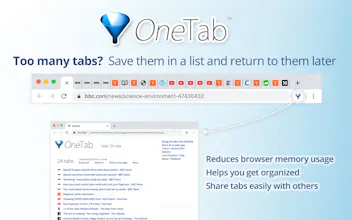
OneTab, a free Chrome add-in, converts a set of browser tabs into a page of links, then restores the tabs when required. It can instantly free up gigabytes of memory when you need it for something else.
Vy - Cross platform AI agent — AI agent that uses your computer, cross platform, no APIs
AI agent that uses your computer, cross platform, no APIs
Promoted
Hunter
Let me just say, my CPU fan is already thanking me and taking a much needed vacation.
Report
One of the best plugins for chrome
Report
It's amazing. 99% of the time I never go back to the tabs I save, but that's the beauty of it. I think most of the people who suffer form having tens of tabs open suffer from the version of FOMO. OneTab is a perfect solution for that - you tell yourself you won't miss out or lose the website you want to read "later", because it's safely saved, but you actually don't have to go back to it and waste time on it, while your brain is perfectly happy and calm knowing, that if you need to go back to it, you can.
Pros:
Does it says it will do. Fast and efficient.
Cons:
You an't create custom folders as far as I can tell, only rename the groups already created by OneTab.
Report
I had 20 tabs and then the browser crashed. I got OneTab and then the list never ends :)
I used is for well over 1y and it's OneTab that I always keep opened. Whenever I let loose browsing and I know I have to get back to my focus - right click and move to one-tab for later. Thanks OT team for making this amazing tool.
Pros:
I just love it. Save your tabs as lists and be more productive.
Cons:
So far so good. Simple and nimble.
Report
Does it maintains tab state like what is filled in forms etc.?
It's amazing. 99% of the time I never go back to the tabs I save, but that's the beauty of it. I think most of the people who suffer form having tens of tabs open suffer from the version of FOMO. OneTab is a perfect solution for that - you tell yourself you won't miss out or lose the website you want to read "later", because it's safely saved, but you actually don't have to go back to it and waste time on it, while your brain is perfectly happy and calm knowing, that if you need to go back to it, you can.
Pros:Does it says it will do. Fast and efficient.
Cons:You an't create custom folders as far as I can tell, only rename the groups already created by OneTab.
LeadDelta
I used is for well over 1y and it's OneTab that I always keep opened. Whenever I let loose browsing and I know I have to get back to my focus - right click and move to one-tab for later. Thanks OT team for making this amazing tool.
Pros:I just love it. Save your tabs as lists and be more productive.
Cons:So far so good. Simple and nimble.
Sequence
There are tools with more sophisticated functionality but I love OneTab's simplicity and efficiency. I use it daily. Saves space and sanity.
Pros:It's simple, and it works
Cons:If your CPU is running slow it's possible that OneTab will open multiple lists of the same tabs