
oh my hours
your distraction-free hours, visualized
7 followers
your distraction-free hours, visualized
7 followers
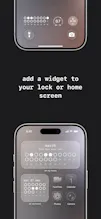
oh my hours turns your day into a grid of 24 hourly cells. Stay off your distracting apps for an hour, the cell is yours. Open them, it's lost. Cross your daily limit and the whole day is lost. quiet-hours block: one slip loses the whole block. Day, week, month, year views. 12 icon sets, with more than 150 hand-drawn variations. Always on, all on device.




We built oh my hours because every screen-time app we tried gave us a number. 4h 12m. 6h 03m. The number didn't tell us anything we could act on, and the next day it reset.
We wanted to see the hours themselves. One at a time. Either you stayed off your distracting apps for that hour, or you didn't. That's the whole idea.
Stay off the apps for an hour, the hour is yours. Open them, it's lost. Set a daily limit on lost hours. Cross it and the whole day flips to lost. Quiet hours are stricter: one slip loses all of them. Strict on purpose.
The grid grows from there: 24 cells a day, 7 days a week, a month, a year. No score, no streak, no nudges. Just an honest record.
There are 12 icon sets to pick from. Five of them have 35+ hand-drawn variations, so kept hours don't all look identical, your week ends up looking like a small personal pattern instead of a chart.
Monitoring runs on Apple's Screen Time, always on. There's no account, no cloud, no analytics. Everything stays on your phone.
The point isn't to win every hour. It's to see your weeks and months the way you actually lived them, one hour at a time.