Launched this week
Notes Stack

Notes Stack

Imagine if every browser tab came with its own notes app.

2 followers

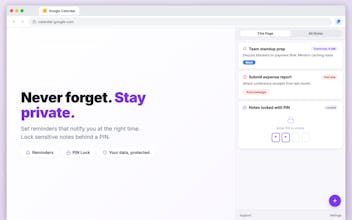
Capture notes, tasks, and reminders from your browser side panel. Organize with stacks, lock with PIN, and export. Take notes without leaving the page you're on. Notes Stack lives in your browser's side panel, so you can capture thoughts, tasks, and reminders while you browse — no tab switching, no separate app.
Notes Stack gallery image
Free
Launch Team
Intercom
Intercom
Startups get 90% off Intercom + 1 year of Fin AI Agent free
Promoted

What do you think? …

Semin Alkic
Maker
📌
I built Notes Stack because I was tired of losing context every time I switched tabs. As a developer, I constantly research across dozens of pages -- documentation, Stack Overflow threads, GitHub issues. I'd find something important, switch to a notes app to write it down, and by the time I got back, I'd lost my train of thought. Worse, I could never remember which page a note was about a week later. The problem was simple: notes and web pages live in separate worlds. Every notes app treats your browser as just another window. None of them understand that your notes belong next to the page you're on. So I built Notes Stack -- a side panel notepad that automatically attaches your notes to whatever page you're viewing. Open the side panel, write your thoughts, and they're linked to that URL forever. Come back to the page later? Your notes are already there waiting. My approach evolved a lot during development. I started with a basic popup, but quickly realized a popup disappears the moment you click away -- useless for note-taking. Moving to the Side Panel API was the turning point. It stays open alongside your page, which is exactly how notes should work. I also made a deliberate choice: 100% local storage, zero cloud. Your notes never leave your browser. No accounts, no syncing, no servers reading your data. For people taking notes on sensitive pages (job applications, medical research, client calls), privacy isn't a feature -- it's a requirement. Along the way, I added features that kept surprising me with how useful they were: PIN-locked notes for sensitive content, reminders that bring you back to a page at the right time, color-coded stacks to organize by project, and a rich text editor with task lists that auto-sort completed items to the bottom. I built this for myself first. Then I realized recruiters, researchers, salespeople, students -- anyone who works heavily in a browser -- has the same problem. Your best ideas happen while browsing. They deserve a better home than a random Google Doc.