
NotchLand
Bring your MacBook's notch to life.
16 followers
Bring your MacBook's notch to life.
16 followers
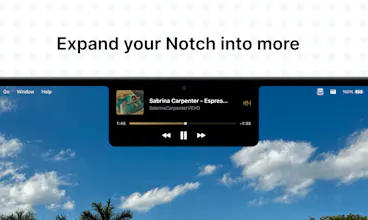
Most notch apps try to hide the notch. NotchLand turns it into something useful. It stays attached to your MacBook’s notch across desktops and brings up smooth, Apple-like interactions for media controls, AirDrop, volume and brightness HUDs, battery alerts, Focus updates, calendar countdowns, and lock/unlock animations. Built natively with SwiftUI + AppKit, NotchLand feels lightweight, fluid, and built into macOS. Free and open source under Apache 2.0.



Free
Launch Team

ClarifyThe Full-Stack AI CRM that replaces 5 tools.
Promoted
How does it handle apps that already have their own notch overlays, like some games or video players?
@bildirci44068 No problem with that, it will handle it smoothly you can try it out.
How does NotchLand handle the notch behavior when you connect an external display? Does it just stay on the MacBook screen, or can you mirror those interactions somewhere else?
@sonerh51937 It stays with your notch.
How does NotchLand handle the notch on older MacBooks without one, or does it just gracefully do nothing in that case?
The way it follows the notch across every desktop feels like it was actually designed into macOS rather than bolted on. Love that you went native with SwiftUI and AppKit instead of chasing some Electron shortcut.
the way it stays glued to the notch across every desktop feels like something apple should have shipped years ago. love the open source apache 2.0 too.
finally someone put the notch to work instead of fighting it, the HUD animations feel genuinely native and battery alerts in the cutout are surprisingly useful day to day