net

net

Save and organize the web as a Kanban board

3 followers

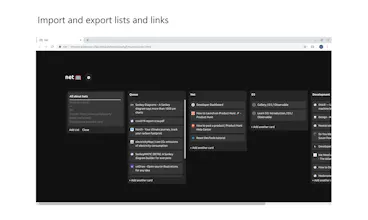
Net is a Chrome extension for stress-free link saving. Click to save a link to your leftmost list or add lists and cards manually. Drag and drop to easily organize your board. Quickly share by copying lists to your clipboard or importing a set of links.
net gallery image
net gallery image
net gallery image
Launch Team
Intercom
Intercom
Startups get 90% off Intercom + 1 year of Fin AI Agent free
Promoted

What do you think? …

Thomas Schultz-Wenk
Thanks. It looks like what I needed to organize my crazy amount of tabs. I'm going to explore it and give you feedback. A video would be cool as well.
Tae Hyoung Jo
Hello! I'm Tae (Yale '22, currently Bay Area) and this is my first product here! I made net after trying Pocket, OneTab, Notion Web Clipper, etc. and sorely needed something easier to use and with more emphasis on link organization. Feedback/feature suggestions (here or on discord: https://discord.gg/476dkC) are much appreciated! I'm also looking to get to know the Product Hunt community and learn to become a better product builder in the process. Come say hi! Thank you very much šŸ™‚ FEATURES āœ… Left click the Net icon in the Chrome toolbar to add the current tab as a card of your leftmost list. āœ… Right clicking the Net icon will give you the options to "send all tabs" and "send and close all tabs" of your current window to Net. āœ… Right click the Net icon and "Go to your net" to access your saved links. āœ… Once in your Net, you can easily create and name new lists and add new cards. Cards can take a URL, text, or both a URL and some text to act as the card title āœ… You can also add lists and cards to your clipboard, import a group of links, and open a link or all of the links in a list with one click. āœ… Net syncs between Chrome browsers through your Google account. OPTIONS āœ… Choose whether to open your net on launch āœ… Choose between several preset themes PRIVACY Saved links are stored locally and not accessible by the developer
Tom Bielecki
@taehyoungjo Tae, this is a fantastic idea! Can you please use Markdown as the default for text [links](url)? I want to import piles of markdown links, save tabs as markdown links, and export markdown lists of links!!
Alexander Jiakai Wang
Hey all! I'm Alex (Columbia '22, currently located in the Bay Area), and, same as Tae, this is also my first product here! I helped make net after Tae approached me with the prototype of what would later become the chrome extension. As individuals who learn primarily from the content we consume on the web, we had been toying around for a while with the idea of an improved link saver, as neither of us were satisfied with the current solutions provided by popular link savers such as Pocket or OneTab. Saving links to come back to wasn’t the unsolved problem––finding them again was the annoying part, and consequently, I never really bothered with link saving since I quickly found out I still didn’t want to put in the effort to find saved links. To deal with this, we designed net with minimalism, ease of use, and an emphasis on link organization in mind. Until we built net, I had always thought link savers were for people who were far more organized and used the web far more prolifically than me. If this sounds familiar to you, I still highly encourage you to check out net and see how it feels for you and your productivity, as I now use net for almost everything I do, from social purposes to work sessions. We initially built net with the purpose to enhance our own experience of using the web. Now that we’ve succeeded in that, I sincerely hope that some of you may benefit as well from what we have built :). We very much appreciate any feedback/feature suggestions. I’d love to get to know the ProductHunt community and learn from you guys to hopefully improve my product building skills! Thank you very much for reading, and I hope you enjoy net!
Anna Filou
Would be awesome if this was a web or desktop app instead of browser. I rarely use Chrome so can't use this extension either. And what happens if you wanna change your browser or if you get a new PC? Does it have an import/export feature or does it sync links via Google Drive?
Alexander Jiakai Wang
@anna_0x Thanks so much for the feedback! When we were building the initial product, we were focused on functionality and simplicity (from both the final product and engineering perspective), and therefore we believed a chrome extension was our best bet for our MVP. Of course, this has the trade-off of accessibility, and you're right in that building a web/desktop app and expanding functionality to multiple browsers could be a great next step for us. In terms of syncing links, the data is stored in only the storage accessible by Google chrome extensions. What this means is that if you switch computers, as long as you're still using the same Google account, your saved links will sync with wherever you use Chrome. This has the benefits of being mindful of your data privacy and increasing accessibility while at the same time keeping everything simple! Let us know if you have any more questions or concerns.
Anna Filou
@alexjwang I see. Sadly, that means that if I get rid of my Google account or want to use a different browser, there's no way to access my data... It's a shame but I understand your reasons!
Floris van Vredendaal
So far I really like it. Only thing I don't like is the layout. Why only towards the right and not use the space below? Hope this will become an addition. I would also like to directly connect it to the right list. No, I have to drag and drop in the extension.
Tae Hyoung Jo
@floris_van_vredendaal Thank you Floris :) To your first suggestion, I modeled the layout off of Trello which also scrolls horizontally. I'll be testing vertical scroll options; if it's intuitive and people respond positively, it will be an option! As for your second suggestion, I've been testing different ways to choose the list to which a link is saved today, and a plausible model seems to be to have links save to the leftmost list by default and save to a specific list if designated. I'm making sure that the way this is implemented doesn't detract from the user experience before publishing! Great feedback!
Ashley Fan
Simple and intuitive way to organize tabs :)
Sharrc Creative
@taehyoungjo I gave it a quick glance for about a minute, and... couple of suggestions, make the items editable, also links validations maybe, cuz if the link you enter doesn't have http/https, it won't work, maybe add a default protocol, or make it compulsory.