Launching today

Navige
Cut AI agent costs and control runaway spending
388 followers
Cut AI agent costs and control runaway spending
388 followers
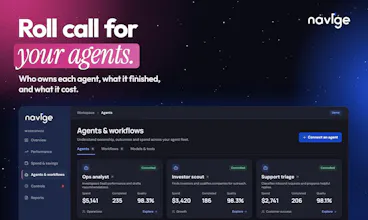
Navige uses Sufficiency Intelligence to cut AI agent costs while work runs. It sends suitable requests to smaller models, caches repeated reads and trims bulky tool results. If unsure, it keeps your chosen model. Set budgets, catch runaway loops and approve sensitive actions. See costs and savings by job, with estimates clearly labelled. Watchtower is free forever. Preview changes before switching controls on.


Free Options
Launch Team / Built With


ClarifyThe full-stack AI CRM for modern GTM teams
Promoted
Hellooo Product Hunt!!
I'm Shameeh; I handle solutions and customer success at Navige.
@sojimathewj Covered the "why". I'll cover the "what happens next" since that's where I come into play.
The first week is Watchtower (which is free forever). You connect all your agents' calls through Navige as usual. The way everything works for them stays the same. Then you continue using your agents as usual, but this time, you'll see exactly how much each individual agent paid, and what Navige would have done differently.
Every week, you will receive an email with details. Once you are ready, switch to the paid plan, and actual savings start to pour in.
And one other thing: your agents can be one or a team; we can handle it.
Now, if your business has some specifics (a number of different agent frameworks, shared keys between teams, an invoice no one can understand), I would love to hear about it. Leave a comment below or ping me directly; I'll get you connected.
And if you try the service and there's something confusing about it, do tell. That's the best feedback we can get today.
If I don't reply (which I highly doubt it), there are few others looking at their screens to help you guys out, please send them a text and put them to work as well. @sojimathewj @akhil_shajahan @alanantony
@akhil_shajahan @alanantony @shameeh Thanks Shameeh! I think we have just found ourselves a volunteer to handle all the tricky customer questions today! Jokes aside, love the way you have explained it. Over to you!
What happens if Navige doesn't recognise the model I am using? Does it show zero cost?
@anandhu_mj No, we don't do that. If we don't know what a model costs, we simply mark it as unpriced. Same goes for external tools where pricing hasn't been set up. We'd rather be upfront about what's missing than give you a number that looks accurate but isn't.
Do we need to give API access? Or does this work with the UI versions of the LLMs too?
@growthromeo Good question!
So, if you have your agents or software that interact with the model using the API, you get all of the above. They point to Navige instead of calling the provider directly. Then Navige receives all requests and is able to pass trivial requests to the less expensive model, impose your constraints and track each agent's spending.
If you have the chat software (ChatGPT, Claude.ai): you get only a part of it. You may connect Navige as an external connector and have full control over the tools used by your chatbot, with permissions, constraints and tracking for each request. However, the AI model is run internally in ChatGPT or Claude.ai where Navige cannot reach it. Thus, Navige cannot help you save on the model or track its spending there.
Hope that helps!!
@shahriardgm Absolutely! Watchtower is free forever, so there's no rush to upgrade. You can leave it running for a month or even longer, see what Navige could save you, and decide when you are ready. No pressure at all.
Why should I put another service between my AI agents and their providers? Isn't that another thing that could break?
@german_merlo1 Fair question. Since Navige sits in the middle of your agent calls, we know reliability is important. You can set how you want failures handled, depending on what the agent is doing. A simple information request is very different from a financial transaction. I would say start with Watchtower, try it with your own agents and see how things work. Once you are happy, you can turn on the other controls.
Budget limits and approval controls together make sense especially for agents than can take sensitive actions. How granular are the permissions?
@salmni_gorey Quite granular actually. You can set budgets at company, team, agent or workflow level. For permissions, you can control which agents can use certain tools, what actions they can take and when they need approval. For example, you could let an agent process refunds up to $500, but anything above that needs a human to approve it. You can also set different rules for read, write or financial actions. Every decision is logged too, so you can see exactly why something was allowed or blocked.
@nadiia_prokofieva You can, but switching everything to cheaper models comes with a risk. Some tasks need more capable models, while others can run perfectly fine on smaller ones. The real challenge is knowing which is which. That's where Navige comes in. It helps make that decision for each request, rather than applying the same model across all your agents. Plus, cheaper models are only one part of the equation. Repeated calls, unnecessary tool usage and runaway loops can also drive up your costs. Navige looks at the bigger picture.
@sojimathewj Great, thank you for the details.