
naden
Free, open source, fast, secure desktop SSH client for macOS
7 followers
Free, open source, fast, secure desktop SSH client for macOS
7 followers
naden — a fast, free, secure desktop SSH client for macOS with built-in terminal, SFTP browser, jump host support, AI chat assistant, and an encrypted credential vault.


Hey Product Hunt 👋
I'm Charles, a solo dev — I built naden after using another well-known SSH client for a while. It got a lot right: the server organization was good, the vault settings were genuinely great. But its SFTP implementation kept getting in my way, and I was opinionated enough about how the whole thing should work that I just wanted to build my own. So I did or vibed coded it.
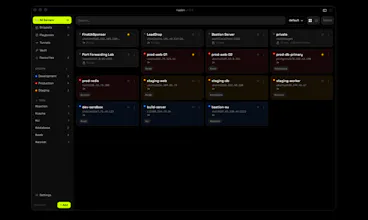
naden is a free, open-source, native desktop client (Tauri + Rust) for people who manage a lot of SSH connections and want that to feel like using a tool, not fighting one:
- Organized inventory — servers with names, tags, and groups instead of a flat config file you have to grep.
- AI assistant, if you want it — bring-your-own-key chat panel (Anthropic, Gemini, OpenAI, or OpenRouter) with optional live terminal context. Off by default, your key stays local.
- ⌘K everything — fuzzy search across servers, active sessions, snippets, and playbooks, tuned to stay under 100ms.
- A real SFTP browser — dual-pane, drag-and-drop from Finder, etc. This was the actual itch I was scratching.
- A real credential vault — AES-256-GCM, unlocked with a master password, derived at 600k PBKDF2 rounds. Your secrets never leave your machine — there's no cloud sync, no account, nothing to breach on my end because I never see them.
- Jump hosts, tunnels, hooks, playbooks — the stuff you eventually need once you're past "just SSH into one box".
The design goal I kept coming back to was speed as a form of respect: app open to connected session in under 5 seconds, search that never makes you wait. If it feels slow, it's a bug, not a tradeoff.
It's free and open source (MIT) — code's on GitHub, PRs welcome. macOS only for now (Apple Silicon + Intel, universal binary); if there's real appetite for Windows/Linux I'd genuinely like to hear that here rather than guess.
Would love feedback, especially from anyone managing servers across multiple environments (staging/prod/client boxes) — what's the one thing in your current setup that still makes you wince? That's the stuff that'll shape what I build next.
Thanks for taking a look.
Love that the AI assistant is baked right in, would be great if it could suggest context-aware commands based on the remote host you're connected to, like flagging common mistakes when you SSH into a specific server type.
@melisnceda1tw6 Really like this idea — right now the AI panel can see terminal output/context if you opt in, but it doesn't yet proactively flag host-specific gotchas. Curious what kind of mistakes you're picturing (wrong package manager, prod vs staging mixups, something else)? That's exactly the kind of thing I want this feature to get smarter about.