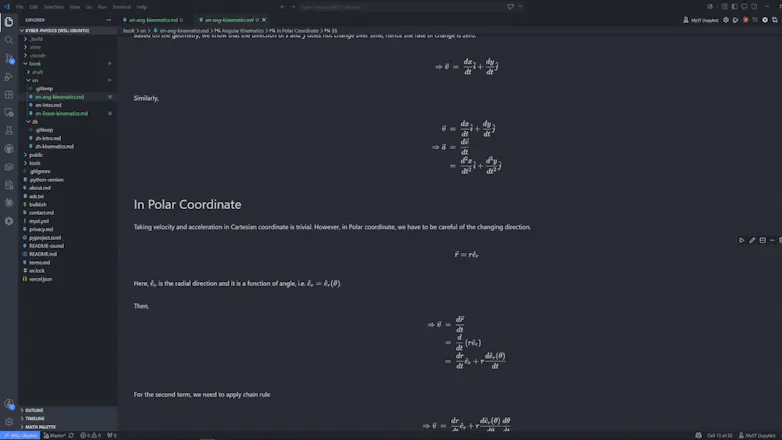
Edit MyST Markdown (.md) in VS Code's notebook editor. Prose renders in place as you type, math renders inline with KaTeX, and {code-cell} blocks run through Jupyter — all in one pane, no separate preview, no build step.
Framer AI AgentsDesign and publish professional sites with AI
Promoted
Maker
📌
"Writing in VS Code was painful. Why cannot we only focus on typing? Here I am"
I write technical documents in MyST, and every existing workflow forced the same compromise: write blind in a plain editor, then run a build to see if it looked right. Preview panes split my attention; Jupyter pulled me into a browser; Quarto and JupyterBook made me stop and compile. None of them let me write the way the document actually reads.
So I built the tool I wanted — the source file is the notebook, rendered in place, no build step, no second window. If you've felt the same friction, this is for you.