MultiNotes is more than just a note app — it’s your personal assistant. Create notes with text, photos, voice recordings, files, locations & more. Set reminders or attach notes to your calendar. Lock sensitive notes, sync with Google Drive.
No reviews yetBe the first to leave a review for MultiNotes
Maker
📌
We’re thrilled to introduce MultiNotes – Smart Reminder Notes 🗒️
In a world of scattered apps for notes, reminders, photos, and files, MultiNotes brings them all together under one roof. No more switching back and forth—just one place that’s smart, flexible, and personal.
✨ What MultiNotes brings you:
Rich media notes: attach photos, videos, voice recordings, documents, and files directly within each note (not stored in the general gallery)
multinotes-handy-reminder-notes.soft112.com
+1
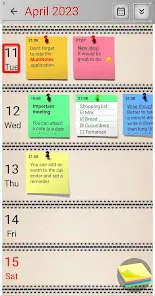
Reminder & calendar integration: set reminders for notes or link them to calendar events so you never forget important tasks
multinotes-handy-reminder-notes.soft112.com
+2
Google Play
+2
Organize with boards and labels: group notes into custom “Boards” and view by sections like “All Reminders” or “Pinned”
multinotes-handy-reminder-notes.soft112.com
Privacy & backup: password-protect individual notes and sync or back up your data with Google Drive
multinotes-handy-reminder-notes.soft112.com
+1
Offline access: all your content remains available even without an internet connection
multinotes-handy-reminder-notes.soft112.com
Whether you're capturing ideas, managing tasks, or storing reference files, MultiNotes offers a unified, powerful space to do it all.
We’d love your feedback:
What types of notes or reminders do you use the most?
Do you prefer reminders tied to dates, or tied to locations or events?
What new feature would make MultiNotes feel like your perfect productivity hub?
Let’s build a smarter notes & reminder app together! 💡
Report
Maker
Nice launch! A few suggestions:
Allow location-based reminders (when you arrive at a place)
Notes + reminders + media = MultiNotes. I love the clean promise. If locking, syncing, and offline access are reliable, this is one I’ll keep open in my workflow.
Report
Maker
MultiNotes is more than just a note app—it hints at a future where all your ideas, reminders, media, and documents live in one flexible system. If you expand to cross-platform support, smart reminders, and integrations (with calendars, file systems, task managers), this could become the go-to productivity hub many have been waiting for. Strong launch!
Report
Maker
What stands out is how MultiNotes handles multimedia and reminders elegantly. Locking sensitive notes, Google Drive sync, offline access—these features show you’re thinking through real user needs. I’m especially intrigued by calendar integration. If the reminders/timing system is robust (repeating, snooze, smart triggers), this tool can really compete in the productivity space.
Report
Maker
I often switch between multiple apps: one for notes, one for reminders, one for media storage. MultiNotes promises to reduce that friction. If I can store photos, voice clips, files along with my notes, set reminders, and see everything in one place, that’s huge. I’m excited to start using it.
Report
Maker
From a UX perspective, your challenge will be organizing diverse media types (audio, files, images) without making the interface cluttered. I hope the “Boards & Labels” view helps maintain clarity. Also, locking individual notes is a smart touch. If navigation, search, and transitions are smooth, this will feel like a premium tool.


Nice launch! A few suggestions:
Allow location-based reminders (when you arrive at a place)
Rich preview inside notes (audio playback, inline image preview)
Backup/restore across platforms (iOS, web)
Smart sorting or pinning important notes
Even without all, the foundation is strong.
Notes + reminders + media = MultiNotes. I love the clean promise. If locking, syncing, and offline access are reliable, this is one I’ll keep open in my workflow.
MultiNotes is more than just a note app—it hints at a future where all your ideas, reminders, media, and documents live in one flexible system. If you expand to cross-platform support, smart reminders, and integrations (with calendars, file systems, task managers), this could become the go-to productivity hub many have been waiting for. Strong launch!
What stands out is how MultiNotes handles multimedia and reminders elegantly. Locking sensitive notes, Google Drive sync, offline access—these features show you’re thinking through real user needs. I’m especially intrigued by calendar integration. If the reminders/timing system is robust (repeating, snooze, smart triggers), this tool can really compete in the productivity space.
I often switch between multiple apps: one for notes, one for reminders, one for media storage. MultiNotes promises to reduce that friction. If I can store photos, voice clips, files along with my notes, set reminders, and see everything in one place, that’s huge. I’m excited to start using it.
From a UX perspective, your challenge will be organizing diverse media types (audio, files, images) without making the interface cluttered. I hope the “Boards & Labels” view helps maintain clarity. Also, locking individual notes is a smart touch. If navigation, search, and transitions are smooth, this will feel like a premium tool.