Launching today

MrPenetrator
Website trust, security & performance monitoring
4 followers
Website trust, security & performance monitoring
4 followers
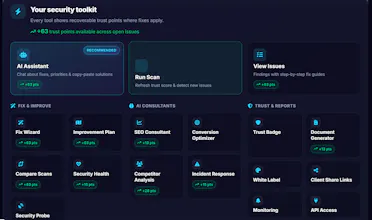
MrPenetrator helps businesses build trust online by continuously monitoring their websites for security, performance, accessibility and compliance issues. Instead of overwhelming users with technical reports, it explains every issue in plain English with practical recommendations. From SSL certificates and security headers to broken links and response times, MrPenetrator helps you identify and fix problems before they affect your visitors.
Interactive




Free Options
Launch Team / Built With


Curious how often it actually runs scans and whether there's a way to schedule them for off-hours so I'm not hitting my own site with constant checks during peak traffic?
@fevzibhbf
Great question!
Scans don't run constantly—they run on a schedule you choose for each website. You can set them to run hourly, daily, weekly, monthly, or at a custom interval (for example, every 12 or 48 hours), depending on your plan.
Each site only runs one scan at a time, so it won't start another while a scan is already in progress. If a scan fails, the system automatically backs off and retries later rather than repeatedly hitting your website.
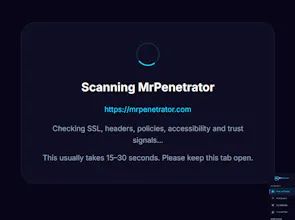
The scans themselves are lightweight, read-only checks (SSL, headers, response times, exposed paths, broken links, etc.), so they're much closer to a normal visitor browsing your site than a load test.
If you want scans to run during quieter periods, you can simply start or resume monitoring during your preferred window (for example, 2am for a daily schedule). You can also pause and resume monitoring at any time, which resets the next scheduled run.
One feature I'm planning to add is scheduled full website scans. That will let users choose exactly when comprehensive scans run (for example overnight or outside business hours), giving even more control over when checks take place. I think that will be particularly useful for larger or business-critical websites.
Does it actually scan on a schedule or only when you manually trigger it, and what does the pricing look like once you go past a single site?
@zumrai49637
Great question! It supports both scheduled and manual scans.
Scheduled monitoring is fully automatic—you don't need to trigger anything manually. A monitoring job runs on your chosen cadence (hourly, daily, weekly, monthly, or a custom "every X hours" interval, depending on your plan), and each scan automatically schedules the next one.
You can still run an on-demand scan at any time if you want an immediate check.
To avoid unnecessary load, only one scan runs at a time per website, the checks are lightweight, read-only, and there's automatic back-off if repeated failures occur.
In terms of pricing, the number of monitored websites scales with your plan. The Free plan includes manual scans for 1 website. Pro (£9.99/month) supports 10 websites, Business (£29.99/month) supports 100 websites, Agency (£79.99/month) supports effectively unlimited websites with agency features, and Enterprise (from £249/month) supports unlimited websites with hourly monitoring and enterprise capabilities.
You can always choose to scan less frequently than your plan allows—for example, a Business user can still run weekly scans if that's all they need.