
mqttfy:mqtt ble automation
Automate MQTT, BLE & REST APIs with visual flows in Android
7 followers
Automate MQTT, BLE & REST APIs with visual flows in Android
7 followers
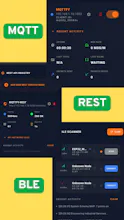
Transform your industrial data into actionable intelligence. Mqttfy is a multilingual professional-grade telemetry dashboard designed for engineers, makers, and factory floors to seamlessly connect, monitor, and automate MQTT, BLE, and REST APIs without writing a single line of code.Whether you are managing smart home sensors, industrial SCADA systems, or remote trackers, Mqttfy provides a secure, low-latency environment to visualize and control your hardware in real-time.




How does the BLE integration actually work on desktop or web — do I need a separate bridge or dongle to pull data from sensors into the dashboard?
@fadime95428 Thanks you for the question. You do not need a separate physical bridge, gateway, or custom dongle to pull BLE data into the web dashboard.
See it how it works in our web dashboard on dockerhub(https://hub.docker.com/r/mqttfy/mqttfy-dashboard) its a multilingual web dashboard using mqtt, ble & rest with multiple widgets
Here is how the architecture works:
Web Bluetooth API: Our web dashboard leverages the modern Web Bluetooth API (supported natively by browsers like Chrome, Edge, and Opera). This allows the web application to communicate directly with your computer or laptop's built-in Bluetooth hardware.
Zero Extra Hardware: As long as the PC, Mac, or tablet running the web dashboard has standard built-in Bluetooth (which almost all modern devices do), the web browser acts as the direct receiver for the sensor telemetry.
Seamless Mirroring: The underlying logic is identical to our Android application. When you click 'Scan' on the web dashboard, the browser will securely prompt you to pair with your local BLE edge nodes. Once paired, the web dashboard subscribes to the GATT characteristics and streams the real-time data straight onto your screen, completely eliminating the need for expensive middleman hardware."
Finally tried this with a few ESP32 sensors around my workshop and the MQTT setup was way less painful than I expected. The no-code rule builder saved me from writing another messy Node-RED flow.
@alparsland64069 Thanks for using MQTTfy.