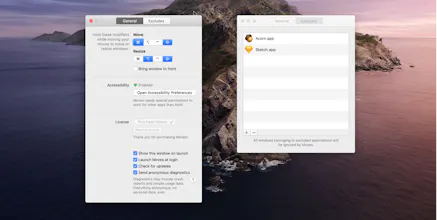
Moves makes it easier than ever to position your windows *juuust* right. Just hold down your chosen modifier keys and move the mouse. No need to fiddle with 3px wide window edges or far way title bars.
The current lockdown made for a perfect occasion to spend a little time adding preferences and an icon to a hack I've been running for a while.
It's a Mac app called Moves (although it also resizes).
A few years ago, during one of my many stints at trying to switch to Linux I discovered a feature. You could choose a modifier key combination that, when held, would allow you to move or resize the window currently under the cursor just by moving the mouse.
Although Linux didn't, the interaction quickly stuck. I dare you to try it for a few days.
I found an app that allowed me to do the same thing on what we used to call OS X 😉 The app was called Zooom2 and it did the trick for years but has since been discontinued.
Yet, it kept on working so I brought it over manually between each OS install, hugging it like a precious, fragile belonging. I think I've used it for something like 10 years? Crazy!
Feeling equal parts scared of a future without my window yielding abilities and adventurous to look behind the curtain, I hacked together an app that did the same.
And that's the story of Moves. Excited to let you try it!
@rampatra thank you! Yes, the wonderful folks at applypixels.com have a great template. Using that and slapping a gradient and an icon on it. Took about 15-20 minutes total.
@rampatra would’ve loved to put it on the App Store, but apps that use the global Accessibility apis can’t be sandboxed and that’s an App Store requirement 🤷♂️
Hi, I've been using this feature with BTT for 4 years, I've compared Moves with BTT, the performance of Moves seems better than BTT (less delay), I'm considering to switch to Moves, but the only problem is I can't set the 'Fn' key as the modifier key, I've using 'Fn + control' all the time and it never conflicts with my other app. Because holding command+shift while moving the cursor is so common in many design software. Please take this as a feature request!
I've used Moves for about a week, and after a couple of days with getting used to using this tool, I'm using it everyday. It saves me several seconds many times a day - and those seconds adds up!
Fantastic little addition to my setup. Does exactly what it describes.
I personally use it more for moving windows out the way, but the re-sizing option works well too.
5/5 fully recommend, it's definitely made my life easier.
Moves for macOS
Bookmarks - Read Later
Moves for macOS
Moves for macOS
Presentify
Moves for macOS
Presentify
Presentify
Moves for macOS
Moves for macOS
LayerCraft
Moves for macOS
Moves for macOS
LayerCraft
Moves for macOS
Moves for macOS
Moves for macOS
Moves for macOS