Launching today

MotionShine
Free Mac screen recorder with auto zoom and a real editor
8 followers
Free Mac screen recorder with auto zoom and a real editor
8 followers
MotionShine is a free Mac screen recorder with a camera bubble, auto zoom on every click and a smooth cursor. No watermark, no time limit. Then edit text, music, voice over and captions in the same app. Pay once for 1080p up to 4K.



Hey Product Hunt 👋 I'm Rahat, the maker of MotionShine.
I design websites for a living, and a lot of my work ends with a screen recording: a client walkthrough, a launch demo, a clip for social. Recording was always the quick part. Making it worth watching was not: zoom in on the click, calm a jumpy cursor, add a background, type the captions. Every video, the same chores.
The apps that did this well were paid. I wanted something anyone could use for free, so I built it.
What it does
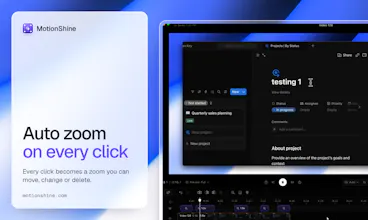
Auto zoom: every click becomes a zoom you can move, change or delete
Smooth cursor: pick a style, colour and size, add click effects or your own picture
Camera: a bubble or a layout, changeable after you record
Captions made on your Mac: fix any word, export in the video or as .srt and .vtt
A full editor: text, pictures, music and voice over on their own lanes
Export: MP4 or GIF, with a preset for where the video is going
Free, not a trial: every feature, no watermark, no time limit. Exports up to 720p at 30 fps.
Pro, pay once: 1080p up to 4K and 60 fps for $49 (the first 200 buyers, then $79). 12 months of updates, and the app keeps working after them. No subscription.
Not yet: Mac only (macOS 13 and later), and no share links. You export a file and put it wherever you like.
Tell me what you record and what is missing. I read every comment, and the next version comes from them.
@rahat_khondokar uuuh finally a screen recording tool without time limit :) Really nice, congrats! One question though: How accurate are the on-device captions with accents or technical terms? Can you add a custom vocabulary?
@denise_louis Thank you Denise, glad you like it! Honest answer: the captions are made on your Mac with Whisper, and there is a Fast and a Better setting. How well they cope with accents and technical terms depends on the audio, and I have not measured it, so I will not promise a number. Every caption is a line you can click and fix, so a wrong term is a quick edit.
A custom vocabulary is the part that is missing. There is a "Names to expect" box, but right now it does not change what Whisper writes, so I do not count it as a real feature yet. It is on my list.
Which kinds of terms do you need it for? That helps me decide how to build it.