
MOMO
A desktop cat that's secretly an AI employee for your PC
6 followers
A desktop cat that's secretly an AI employee for your PC
6 followers
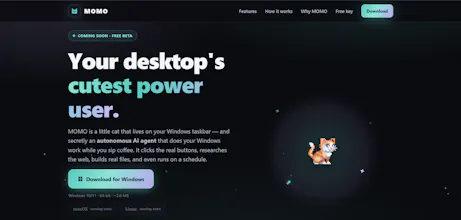
MOMO lives on your Windows taskbar. Ask it in plain English and it actually does the work — researches the web, builds real Excel/PDF reports into your Downloads, automates apps, and runs scheduled jobs while you're away. Risky actions need your Allow/Deny. Free — bring your own free NVIDIA key.

Free
Launch Team

World model AI : Sharm SEKAISimulate your idea on a living world.
Promoted
how does the allow/deny thing actually work in practice, like does it pop up every time or can I whitelist certain actions
@cemilezkylgbx4 Great question, and that's a really good suggestion.
Right now, it's smart about when it asks for permission. Everyday tasks like research, building files, and reading things never interrupt you. The Allow/Deny prompt only appears for genuinely risky actions, like deleting files, changing system settings, or sending data out.
The catch, as you pointed out, is that it asks every time. There's no "remember this" option yet ...only a global setting that turns approvals off entirely.
A proper whitelist with options like "Allow once," "Allow for this session," or "Always allow this kind of action," along with a permissions list you can review and revoke later, feels like the right middle ground.
You've bumped this higher on the roadmap. Adding it now. Thank you! 🙌
Would you mind if I credited you when it ships?