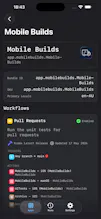
Mobile Builds puts Xcode Cloud on your iPhone, iPad, Mac and Vision Pro. 2026.6 adds Siri, Shortcuts and Spotlight: ask what's building, find every failed run, or re-run a broken build by voice ā without opening anything. Free, and private by default.
Framer AI AgentsDesign and publish professional sites with AI
Promoted
Maker
š
Hey Product Hunt š
I'm Amy. I build iOS apps for a living, which means a decent slice of my week is spent waiting on Xcode Cloud and then squinting at App Store Connect on my phone to find out how it went. That's why Mobile Builds exists. It's a native client for Xcode Cloud on iPhone, iPad, Mac and Vision Pro, so you can see your run history, your action breakdowns and your analytics without a browser.
This release is the one I've wanted since I started. You can now just ask.
š£ "Hey Siri, what's building in Mobile Builds?" and you get a live list of runs, with a Re-run button in the answer itself. The statuses refresh as you look at them, so it's never a stale screenshot of two minutes ago.
š "Re-run my last build in Mobile Builds" it works out which build you meant, tells you which one it picked, and asks before executing the run.
š "Did anything fail in Mobile Builds?" the question I ask most, finally answerable while walking
āļø Twelve Shortcuts actions with proper pickers for your apps, workflows and runs. "Find every run where status is Failed and branch contains release, sorted by date" is a real thing you can build now. So is a Home Screen button that ships your release branch
š¦ Spotlight search across your apps, workflows and runs
Mobile Builds is free. Asking Siri, running shortcuts and starting builds are all free ā MobileBuilds+ unlocks build history and analytics beyond today. Your credentials and build data never touch a server of mine, because I don't run one; the app talks straight to Apple's API.