Launched this week

MiroMiro
Copy any website's design & assets in one click
735 followers
Copy any website's design & assets in one click
735 followers
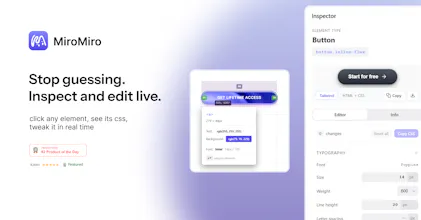
The fastest way to copy any website's design. MiroMiro is a Chrome extension that lets you inspect and extract design assets from any website without opening DevTools. Hover over any element to instantly copy its CSS, colors, fonts, and spacing. Download images, SVGs, and even Lottie animations with one click. Extract design tokens and export them as Tailwind config or CSS variables. Built for designers and developers who want to stop rebuilding from scratch and start shipping faster.


I am surprised by the function of "steal the motion magic", it was a real problem for me, especially when I see some motion icons very interesting.
MiroMiro
@tyler_tian Thank you Tyler, currently MiroMiro is able to extract Lottie animations. Are there any other features or suggestions you’d like MiroMiro to support?
@soraiadev Hi Soraia, I have recommmended your product to our IT department to see if there are anything we can apply to our project. Thank you! Will give feedback shortly
MiroMiro
@tyler_tian Thank you so much, Tyler! If your IT department finds MiroMiro useful, I’d be happy to explore ways to give access to all features across the department without requiring individual subscriptions. I’d love to hear your feedback! For more direct communication, feel free to reach me on X @ soraiaDev or by email at sorilc@hotmail.com
MiroMiro
@dubd59 Thank you so so much!
Amazing, Soraia! as a business user, was tired of taking screen shots to share with designers.
MiroMiro
@arunsview Thank you a lot! I'm glad MiroMiro is useful for you!
@soraiadev Congratulations on making it the top 2!
This is such a relatable pain point. Nice product name btw.
DevTools is powerful, but once you’re just trying to extract design decisions, it completely kills momentum. Congrats!
MiroMiro
@frank_li13 Thank you a lot Frank, I'm glad you found MiroMiro useful!
AI Tools Directory
MiroMiro
@dessignnet Thank you a lot :D
Won't it be cool if you can also generate prompts/commands so that together with the downloaded assets and color pallet info (color.md file maybe?) we can ask IDE/AI to apply a similar style to a website I'm working on directly and see how it looks like?
MiroMiro
@vibervibing That's interesting, I'm gonna note down this for future updates. Thank you a lot for the feedback!
Hi soraia,
Congrats on the Product Hunt launch! MiroMiro is clearly the fastest way to extract the "Skin" of a site (Colors/Fonts/Assets).
However, as a Frontend Engineer, I’ve noticed a critical gap that no extension is currently solving: "Structural Blindness."
Right now, tools give me the styles (the paint), but they don't give me the layout logic (the skeleton). I still have to inspect DevTools to figure out if a complex section is using CSS Grid, Flexbox, or absolute positioning.
The "Layout DNA" Feature. Imagine if MiroMiro’s sidebar didn't just show the Color Palette, but also a "Layout Intelligence" tab:
Detection: "This container is a 3-column Grid."
Extraction: One-click copy of the structural HTML (e.g., <div class="flex gap-4 items-center">), stripping the content but keeping the layout architecture.
This turns MiroMiro from a "Designer's Tool" into a "Developer's Cloning Engine."
I’d love to share some thoughts on how to parse computed styles to build this "Layout X-Ray."
MiroMiro
@jaimeen_makavana Hi Jaimeen, thank you so much for taking the time to share this, this is incredibly thoughtful feedback. I love the way you framed it as “Structural Blindness,” that really resonates from a frontend perspective. I’m definitely taking notes for future features 👀
I’d be happy to chat more about this and hear your ideas on parsing computed styles. Feel free to ping me anytime on X @ soraiaDev or by email sorilc@hotmail.com