
Minidocs
Markdown to polished PDFs and slides for your Mac.
7 followers
Markdown to polished PDFs and slides for your Mac.
7 followers
Minidocs is a clean macOS app for turning Markdown into polished PDFs and slides with live preview, styling controls, math, diagrams, and no login.



I've been writing technical documents in Markdown for years — VS Code, Marp, LaTeX, Mermaid. Each tool is great in isolation, but stitching them together is its own job. Render a Mermaid diagram, export it as an image, drop it in. Install the right TeX packages. Make sure the slide build picks up syntax highlighting. Repeat for every doc.
I also teach, and building lecture decks that handle code blocks and diagrams in the same slide is harder than it should be. So I built the app I wanted to exist.
Minidocs is a native Mac app. You write Markdown, you see the finished page rendered live next to it, and you export a polished PDF, slide deck, or HTML. Math, Mermaid, code, tables — all rendered in the preview. No image-export step. No build pipeline.
What's in:
- Live editor with paginated preview that matches the export
- Export to PDF, slide deck, or HTML from the same Markdown
- LaTeX math, Mermaid diagrams, syntax-highlighted code, tables, and images
- Theme controls for fonts, spacing, page size, and color — per project
- Cover pages, page numbers, and footnotes built in
- Originality records — opt-in per document, verifiable in any export, for academic use
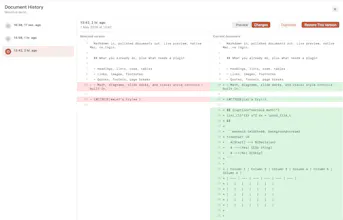
- Document history with restore points
- Plain files on disk — every document is readable in any text editor
What's not: a login, a subscription, an account, a tracker, an analytics ping, a "team workspace," cloud AI, a referral system. The app is intentionally small.
No account. No subscription. No analytics.
$24.99 once. Yours forever.
On the Mac App Store: https://apps.apple.com/app/id6764786430
Built solo in Madrid. Happy to answer anything — including what's not in it (deliberately).