
Mindly
Organize ideas, thoughts & projects with clarity
17 followers
Organize ideas, thoughts & projects with clarity
17 followers
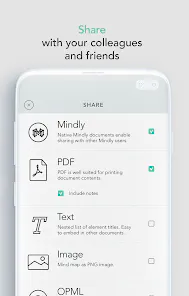
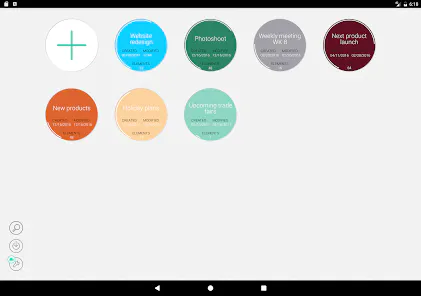
Mindly helps you map your thoughts, structure ideas, plan projects or speeches, and brainstorm visually. Use infinite hierarchies, attach notes/images, themes & export options to transform cluttered mind into organized universe.



I often have ideas in the middle of the night or see something inspiring online and forget about it by morning—but with Mindly, I feel like I could capture it instantly. The automatic organization and summary features feel like gentle helpers so that I don’t need to remember what to do next. And the visual graph? I’m already thinking about seeing how my past thoughts loop into new ones. This might become my go-to thought dumping space.
Mindly feels like the future of how I want to think. The “capture anything in seconds” shortcut is exactly the comfort I’ve been waiting for—no more letting links, files or thoughts slip through cracks. The auto-organization, smart tags, summaries, and interactive graph view make it more than just a note app—it’s a dynamic second brain. I’m excited to see how it helps me discover connections I didn’t even know existed between my ideas.
What impresses me most with Mindly is the automation: capturing, tagging, summarizing all happen with minimal friction. The visual graph to explore how ideas connect is a powerful tool for knowledge workers, researchers, and creators. A few thoughts: exporting summaries or tags to external tools (Markdown, Notion, Obsidian) would be useful; also perhaps allowing manual merging of similar clusters, or adjusting the strength of connection edges, to give users more control. Even as is, very strong foundation.
From a UX perspective, Mindly gets many things right: minimal friction to capture content, auto-tagging for discoverability, summaries for quick scanning, and a graph view to see relationships. The local storage aspect is reassuring too—privacy matters. If search is fast, UI remains clean, and the shortcuts are customizable, this can really elevate daily workflows for writers, developers, and thinkers alike. Great launch.
Sometimes our brain feels like a chaotic storage room—we know there are gems there, but finding them is hard. Mindly seems to help sort that chaos: auto tags, summaries, connections—all helping you rediscover old ideas or missed inspirations. It’s not just about storing stuff; it’s about making sense of what you’ve stored. To the makers: thanks for building something that respects both creativity and organization.
Capture. Tag. Summarize. Connect. Mindly keeps the flow smooth and powerful. The graph view is the cherry on top. Just what I need to clean up my cluttered desk and overwhelmed notes. Looking forward to trying it out.