
MindHunt AI
AI recruitment tool built by a recruiter. Finally.
34 followers
AI recruitment tool built by a recruiter. Finally.
34 followers
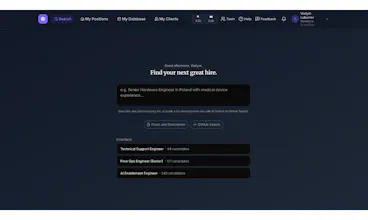
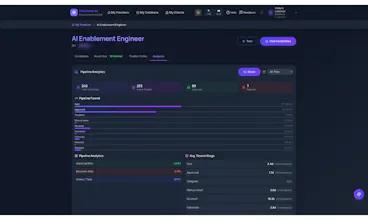
Most recruiting tools were built by engineers who never placed a candidate. I spent 20 years as a recruiter using those tools — and every single one, I could see exactly what was wrong with it. Not as an engineer. As someone who actually had to find a CFO by Friday. So I built MindHunt AI — type who you need in plain English, AI finds candidates, fetches contacts, writes personalized outreach, and tracks everything. One tool. No tab switching. Works the moment you sign up. Free to try.





the title-expansion trick is smart, that's a real pain point when you're manually building Boolean strings. the flip side I'd worry about: a candidate who's genuinely qualified but describes their experience in unconventional language (career switchers, self-taught, non-traditional backgrounds) might score low just because their wording doesn't match what the model expects that role to sound like. is there a way for a recruiter to flag "look past the wording, take a second look" without re-scoring the whole batch by hand?
@galdayan Really good point — and honestly, a fair concern. The scoring is based on how well a profile matches the extracted criteria, so yes, a career-switcher whose LinkedIn doesn't use "expected" phrasing for the role could score lower than their actual fit deserves.
Right now the honest answer is: a recruiter can browse past the top-scored results
manually — the full candidate list stays visible, sorted but not hidden — so nothing
is filtered out, just ranked. But you're right that there's no "flag this and re-evaluate" shortcut today.
That's a genuinely useful feature idea — appreciate you raising it. Non-traditional backgrounds are exactly the candidates recruiters shouldn't lose to a scoring algorithm.
@vadym_lobariev that's a fair place to leave it for now, full visibility beats hiding people. one thought on the feature though - a manual flag probably isn't enough on its own, the recruiter still has to know to go looking for the person they'd miss. might be worth surfacing something like "these profiles use language patterns that don't match your top matches" as a nudge, rather than relying on someone remembering to scroll past page one
@galdayan That's a really good refinement — you're right that "full list is there" only helps if someone remembers to look. A proactive nudge like that is a much better solve than a manual flag. Noting this down properly — feels like a natural extension of the scoring system: something like "N candidates matched on experience/skills but scored lower due to non-standard title/phrasing" as a visible signal, not just a number buried in the list. Appreciate you thinking this through with me — this is exactly the kind of feedback that makes the product better.
@vadym_lobariev glad that landed well. one more angle worth stress-testing: could that same signal get gamed the other way, someone padding a generic buzzword-heavy title just to avoid tripping the "non-standard phrasing" flag and get buried instead of surfaced. probably a smaller problem than the one you're solving, but worth keeping in mind if the nudge becomes something candidates learn to write for
How does the AI actually decide whose contacts to fetch, and is there any cap or credit system on the free tier before it locks the outreach features?
@yasinbulmu00ms Good question! Contacts are fetched only for candidates you approve — you move them to "Approved" stage and their email is fetched automatically (1 credit).
It's never automatic for everyone in your search results, only who you select.
On the free tier: 200 search credits and 20 contact credits, one-time. Outreach itself is never locked — sending campaign emails is free. Credits are only used when fetching contact info. Once free credits run out, you'll need to upgrade to Solo or Team — paid plans get monthly credits that roll over, and you can buy
more anytime after that.
What LLM powers the AI search?
@aayansh_raj1 Great question! We use Claude (Anthropic) — specifically Claude Sonnet — across the AI search pipeline: extracting job titles and skills from the description, generating
title variations, and scoring candidates against the role.
20 years in recruiting then learning to code — respect
@anna_navrotska Thank you! It started with me asking Claude "what is a terminal?" in November. Seven months later I'm a Claude Certified Architect 😄 AI changes everything — it didn't just help me build a product, it helped me learn skills I never thought I'd have.