
metItem
Know where every tool is — inventory tracking for teams
9 followers
Know where every tool is — inventory tracking for teams
9 followers
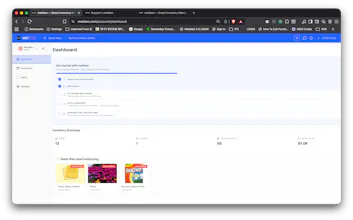
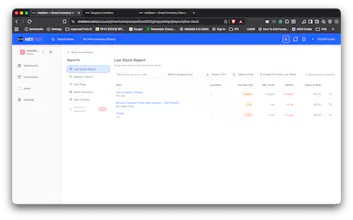
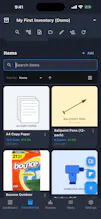
metItem tracks your tools, equipment, and stock with photos and barcodes — across multiple inventories, on web, iOS, and Android, even offline. Check items in and out, get low-stock alerts, and share with your crew. Free plan, no credit card.





Curious how the barcode scanning actually holds up offline, especially if I'm in the middle of a job site with zero signal. Does it sync cleanly once I get back to wifi without me having to mess with anything?
@nurtenkado1ot2
Great question — this is exactly the scenario the app is built for.
Scanning itself happens on-device (the camera does the decoding), so it works
with zero signal. Anything you do offline — add items, edit quantities, even
attach photos — is saved to a local database on your phone with a pending queue.
The moment your phone gets a connection back, the app notices and syncs
automatically. No button, nothing to "mess with" — there's a little sync badge
so you can watch it happen, and if two edits ever collide (e.g. someone else
used the same item code while you were offline), the app flags it and asks you
instead of silently overwriting anything.
One honest caveat: the auto-fill that pulls product details from a barcode
calls a product database, so that specific lookup needs signal. Offline, the
scan still attaches the code to the item instantly — the details can fill in
later.
We tested this hard — airplane-mode creates with photos, then reconnect —
because job sites with dead zones are exactly who this is for. If you try it
and anything doesn't sync cleanly, tell me and I'll fix it fast.
Does the barcode scanner work with existing QR labels or do I need to print new ones through your system?
@ramazan69s2
Good news — your existing labels work as-is. The scanner reads all the
standard formats (QR plus the common barcodes: EAN/UPC, Code 128, and so on),
and metItem doesn't care who printed them. When you add an item, scan the
label it already has and that value becomes the item's code — so your current
labeling scheme carries straight over, no re-printing. If a label happens to
be a retail barcode, metItem will even auto-fill the product details from it.
Printing labels through metItem is optional — it's for things that don't have
a label yet, not a requirement.
One honest note so you're not surprised: today the scanner is used when
adding/editing items, and you can find any item by searching its code as text.
A "scan a label to instantly pull up that item" shortcut isn't in yet — it's
high on the list, and if that's core to how you'd use it, tell me and it moves
up. That kind of signal is exactly why we launched here.