Meshed. Up!

Meshed. Up!

SVG mesh gradients to easily Copy paste on your project.

4 followers

A collection of multicolour vectors for web developers and digital designers. Choose between 48 gradients and make your project pop! Compatible with HTML, Figma, Sketch or anywhere you can paste SVG and renders.
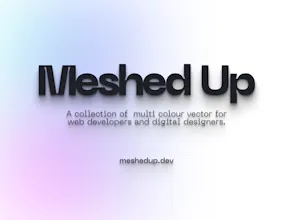
Meshed Up! gallery image
Free
Launch Team
Tines
Tines
The intelligent workflow platform
Promoted

What do you think? …

Michael Andreuzza
Hello everyone!! What is Mesh up!. On Meshed up! you can easily copy-paste SVG mesh gradients within your HTML project or even paste them on Figma, Sketch and so on! - 100% customizable. - Resize - Colorize - No CSS framework is needed. What you will find: - 6 Multicolor mesh gradients - 6 Blue mesh gradients - 6 Purple mesh gradients - 6 Pink mesh gradients - 6 Red mesh gradients - 6 Orange mesh gradients - 6 Yellow mesh gradients - 6 Green mesh gradients There is also a Figma file that you can import this file on Figma & Sketch. and includes - 6 Multicolor mesh gradients - 6 Blue mesh gradients - 6 Purple mesh gradients - 6 Pink mesh gradients - 6 Red mesh gradients - 6 Orange mesh gradients - 6 Yellow mesh gradients - 6 Green mesh gradients The figma file: - https://mikesink.gumroad.com/l/m... This file includes the original assets using the Multi-Vector Color Fill feature from figma, which you don't get by copy-pasting. Feel free to ask me here anything here or on Twitter https://twitter.com/Mike_Andreuzza
Csaba Kissi
@michael_andreuzza Looks nice Mike!
Michael Andreuzza
@csaba_kissi thank you Csaba!!
Tony Lea
Super cool man! Will definitely use in future designs 😉 Quick question, what did you use to create these?
Michael Andreuzza
Hey Tony @tony_lea4! Well up on Figma if you duplicate this Figma file: - https://www.figma.com/community/... You will see how I did it. For example, now Figma allows you to give a fill color to a vector as it show on that file, then you copy as SVG on Figma and paste it in HTML. You should control the opacity/blur up on Figma also. thank you tony!! 💪
Tony Lea
@michael_andreuzza Very cool! Thanks for the info!
Michael Andreuzza
@tony_lea4 Welcome!
Brian Nutt
I’ve been looking for something like this. Congrats on the launch!
Michael Andreuzza
@brian_nutt thanks Brian!
Brian Nutt
@michael_andreuzza I actually may be able to use this in our application. Follow along with our Upcoming Product page so I can pass along information as we get closer. I'd love your feedback as well if you have time. You can find our page here - www.producthunt.com/upcoming/adi... Cheers!
Michael Andreuzza
@brian_nutt sounds fun, you can contact me on twitter before using them for your app, maybe we could talka out a custom collection? Take care!
Karim Saif
AWESOME✨
Michael Andreuzza
@karimsaif Thank you KArim!
Алексей Мысливец
Can't believe its free!!! Great!
Michael Andreuzza
Absolutely it is! @new_user_8922ba2ace please enjoy it 💪
Basharath
Nice product. I'm gonna use it for my projects. Congrats!
Michael Andreuzza
@basharath Thank you so much! Happy to see what you build!
Maria
So cool! Awesome color overflows! *_* Congrats on the launch! ^_^
Michael Andreuzza
Thank you for that Maria ! @maria_brm 🎉
12
Next
Last