
MeetingSketch
Meetings in. Architecture diagrams out
6 followers
Meetings in. Architecture diagrams out
6 followers
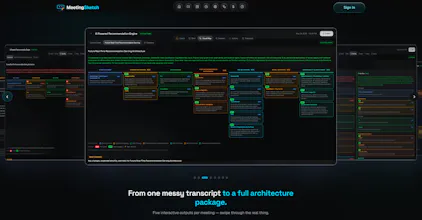
MeetingSketch turns technical meeting transcripts into architecture diagrams (current, to‑be compare), decision records, an executive brief, and prioritized action items plus an AI coach that scores whether the meeting hit its goal. Paste a transcript, get the whole package. Free to start, no card.




Free
Launch Team

Render: Get up to $100K in startup creditsThe fastest way to deploy and scale apps and agents
Promoted
Hey Product Hunt 👋
I’m the solutions architect who built MeetingSketch.
After architecture reviews, discovery calls, and project kickoffs, I kept doing the same work: replaying the meeting, redrawing boxes, digging decisions out of a transcript, and answering:
“What did we actually agree to build?”
The architecture was already designed in the meeting. It just never made it into the diagram.
So I built MeetingSketch.
Paste a transcript from Otter, Fathom, Granola, Zoom, Teams, or plain text, and it turns the conversation into:
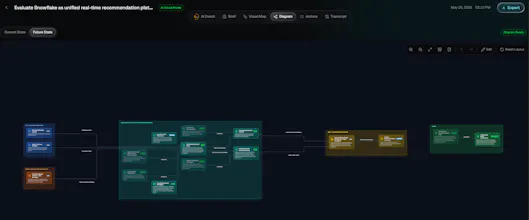
• A Visual Map of the current-state architecture
• A target-state view showing what stays, changes, or retires
• An interactive diagram with one-click HTML export
• An executive brief with decisions, blockers, risks, and owners
• Action items and commitments from the conversation
• An AI Coach that checks whether the meeting achieved its goal and flags gaps the team may have talked past
Every output is designed to be reviewable: what was stated, inferred, or recommended is clearly distinguished.
MeetingSketch is built for technical meetings where context matters: architecture reviews, solution-design sessions, technical discovery calls, and project kickoffs.
The goal is simple: leave the meeting with the picture, the decisions, and the next move—not another transcript to replay later.
It’s free to start with 25 credits, no card required.
I’d genuinely love candid feedback: what would make this something you use after every important technical meeting? I’ll be here all day. 🙏
Love that it bundles the executive brief alongside the diagrams instead of burying it in a separate doc. Smart call on pairing the current/to-be comparison with a decision log too, that's usually where meeting notes fall apart.
@mesutrende
Thanks! that’s exactly the gap I was trying to solve. A diagram alone can look good, but without the decisions, tradeoffs, owners, and the “why” behind it, teams still end up asking what actually changed and what they are supposed to do next.
The other piece I wanted to add is the AI Coach it looks at the meeting goal, shows what was covered, what was missed, and the questions the team may still need to answer before moving forward. The idea is not just to document the meeting, but help make sure the meeting actually got the team closer to the outcome it was supposed to achieve.
Would love for you to try it on a discovery or architecture call and tell me where that feels useful versus where it misses the mark.
Pasted a messy 40 minute engineering transcript and the architecture diagram it spat out actually matched what we discussed. The AI coach pointing out we never decided on the caching layer was painfully accurate.