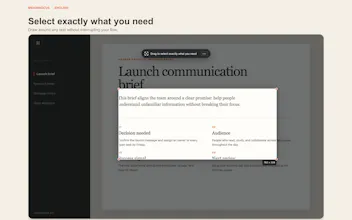
MeaningCue is a macOS menu bar utility for understanding unfamiliar text without leaving your current screen. Press your configured shortcut, select a region, and see the translation first—followed by a concise summary, key terms, and context when available. It uses Apple system frameworks on your Mac, keeps optional History local, and has no subscription. Requires macOS 26 or later.
Hi Product Hunt — I built MeaningCue around one simple flow: See → Select → Understand.
Press your configured shortcut from anywhere, select only the part of the screen you want to understand, and read the translation, summary, key terms, and context in one overlay.
MeaningCue does not use a MeaningCue server, account system, analytics SDK, cloud sync, or external LLM client. History is local and optional; capture-image saving is separately controlled.
It is a $0.99 one-time purchase for macOS 26 or later. I’d especially value feedback on the first-scan flow, Screen Recording permission, translation coverage, and whether the result hierarchy is useful for technical documentation and foreign-language reading.