Master Dock

Master Dock

Customize Your Mac Dock

3 followers

Transform your Desktop with MasterDock - the ultimate dock customization tool. Create up to 3 independent dock sections with widgets, folders, and stunning effects. MasterDock revolutionizes how you interact with your dock.
Master Dock gallery image
Free
Launch tags:iOSMacDesign Tools
Launch Team
Framer
Framer
Launch websites with enterprise needs at startup speeds.
Promoted

What do you think? …

Seçkin
Maker
📌
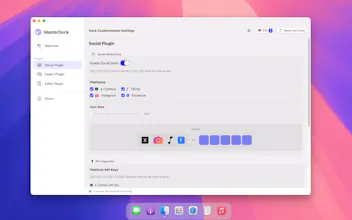
Multi-Dock System - Split your dock into up to 3 independent sections for better app organization Smart Widgets - Add clock, weather, and system monitor widgets directly to your dock Folder Support - Create folders by dragging apps together, keeping your dock clean and organized Drag & Drop - Intuitive drag and drop support for effortless app management Visual Customization - Choose from various themes, colors, and transparency settings Multiple Positions - Place your dock at the bottom, left, or right of your screen Icon Styles - Customize Finder and Launchpad icons with different styles Magnification Effects - Beautiful hover animations and magnification effects Running App Indicators - See which apps are currently running at a glance PLUGINS: Social Plugin - Integrate social media platforms directly into your dock Expert Plugin - Advanced system monitoring with CPU, RAM, GPU tracking Editor Plugin - Ultimate customization with per-dock themes and advanced spacing controls PLUS FEATURES: Multi-dock layouts (2-3 sections) Advanced folder system Custom colors and themes All future updates MasterDock works seamlessly with macOS 13.0 and later, respecting your system while enhancing your productivity. Start with the free version and upgrade to Plus when you're ready for more power.