
MapScrapX
Discover your next favorite thing.
9 followers
Discover your next favorite thing.
9 followers
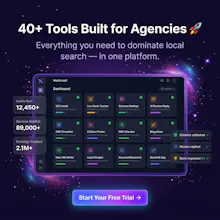
MapScrapX is an all-in-one Local SEO toolkit with 40+ agency modules. Unlike single-purpose tools, it combines prospecting (Unclaimed GBP Scraper), hyper-local optimization (Geo-Tagging, Zip Code Extractor), AI review management, Schema generation, and white-label audits. Instead of paying for 5 subscriptions, agencies get a unified pipeline to find leads, close clients, and optimize rankings in one place. Stand out with geo-tagged images, local silo builders, and automatic SEO proposals.



How does the geo-tagging module actually handle bulk image uploads without tripping Google's spam filters, and is the white-label audit fully customizable or more of a template swap?
@nkurumak28108 Hey! Great questions, here are the details for both features:
1. Geo-Tagging at Scale
We handle image injections entirely in the browser using piexifjs, which writes clean, spec-compliant binary headers (GPS coordinates and keyword tags) directly into your images. To stay safe from Google's automated spam filters:
Vary Coordinates: Instead of tagging every image with the exact same business coordinate, we recommend rotating geo-coordinates within the business's actual service-area radius.
Drip Uploads: Avoid uploading dozens of photos in bulk at the exact same second. Spacing uploads naturally over a weekly schedule (2-3 images per week) mimics normal user behavior and keeps filters happy.
2. White-Label Customization
It is fully custom branding rather than just a simple text swap! In your Account Settings, you can save your:
Custom Agency Logo (via image URL)
Agency Name
Support Email & Contact Info
Once configured, these details are dynamically compiled into the header, footer, contact cards, and styling variables of the generated audits, proposals, and PDF exports. All MapScrapX branding is completely stripped, so it presents as your own proprietary software.
How does the geo-tagging module handle image metadata at scale, and is there any risk of tripping Google's spam filters when bulk-uploading tagged photos to client GBPs?
@azat7avp Great questions! Here is how we handle both the data injection and Google's guidelines:
1. Metadata Handling at Scale
Under the hood, the geo-tagging module uses piexifjs to inject standard-compliant binary headers directly into your JPEGs/PNGs in the browser.
It populates the standard GPS tags (latitude/longitude coordinates, coordinate references) and also embeds target local keywords into standard EXIF fields like ImageDescription, Software ("MapScrapX Local SEO"), XPKeywords, and XPTitle.
Because it writes clean, spec-compliant EXIF data, the output looks identical to metadata created by a physical GPS-enabled smartphone or camera.
2. Google Spam Risks & Best Practices
Google’s algorithms parse image metadata on upload to verify local relevance (even though they strip EXIF publicly afterwards to protect user privacy). To avoid triggering spam filters at scale, we recommend following these guidelines:
Avoid Exact Matches: Don't tag 50 photos with the exact same coordinate and keyword. Instead, rotate coordinates within a 5-10 mile radius of your client's service areas and vary the keywords.
Drip, Don't Dump: Avoid uploading dozens of tagged photos in a single second. Spacing out your photo uploads naturally over a weekly schedule (e.g., 2-3 images a week) mimics natural user behavior.
Unique Assets: Never upload identical stock photos to multiple client listings. Google's Cloud Vision API detects duplicates instantly. Always use unique, original client photos.
Curious how the GBP scraping side holds up against Google's rate limits, is there a built-in proxy rotation or do I need to bring my own setup to avoid getting blocked at scale?
@mzeyyenlkxp Great question!
The GBP lead generation and scraper module actually bypasses raw scraping entirely. Instead of fragile web scraping (which is prone to Google's IP blocks and rate limits), MapScrapX integrates directly with the official Google Places API.
Here is how we handle rate limits and scaling:
No Proxy Hassles: Since it runs on official API endpoints, you don't need to purchase or rotate proxies.
Flexible API Keys: By default, MapScrapX handles requests on our system API key (free tier includes monthly search credits).
Bring Your Own Key (BYOK): If you need to scale search volume significantly, you can plug in your own Google Places API key directly in your account settings. This lets you query at full API speed directly against Google’s infrastructure without rate-limiting hurdles.
The GBP scraper alone saved me hours this week, and the geo-tagging feature is a nice touch I haven't seen baked into other tools like this.
@ayhanhnkwbf7 Thanks so much for the support! 🚀
Saving you hours this week is a huge win! Glad the GBP scraper is doing the heavy lifting.
We specifically baked the geo-tagging feature directly into the dashboard because we knew how annoying it is to upload assets to a separate tool just to inject EXIF data. Having it right next to your audit and campaign tools makes publishing local content so much smoother.
Let us know how those geo-tagged assets work out for you!
The unclaimed GBP scraper alone is worth the price, found three dead leads in my niche in under a minute. Wish I'd had this before stitching together five different tools for local SEO work.
@suruc86423 Thanks so much for sharing that! 🚀
Finding three high-quality leads in under a minute is an awesome start. Celebrating that quick win with you!
"Stitching together five different tools" is the exact headache we set out to cure. We wanted local SEOs to have one dashboard where lead gen, SEO audits, and report building just talk to each other seamlessly.
Good luck closing those leads—let us know how the outreach goes!
Congrats on the launch. One thing that would level this up is adding a CRM sync built in, so the leads scraped from Unclaimed GBP flow straight into a pipeline view with statuses and follow-up reminders. Right now finding the lead is easy but tracking it across stages takes extra tools.
@nazls86733 Thanks for the congrats and the killer feedback! 🚀
You hit the nail on the head. Finding the lead is only step one; tracking outreach and stages is where the actual revenue happens.
Having a built-in lightweight pipeline view (or a native CRM sync to platforms like GoHighLevel/HubSpot) makes complete sense to close that loop. I'm adding this straight to our roadmap!
In the meantime, would a webhook integration (like Zapier/Make) or a CSV export to push these leads straight into your current pipeline help bridge the gap for you?