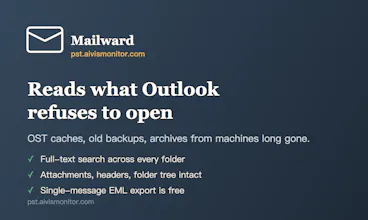
Open, read, and search an Outlook PST or OST archive in your browser — on a Mac, PC, or Chromebook, no Outlook or Exchange needed. Nothing is uploaded; the file is parsed on your own machine.
No reviews yetBe the first to leave a review for Mailward
Hunter
📌
Hi Product Hunt! Maker here.
I built Mailward after seeing the same problem come up again and again: someone has an Outlook .pst or .ost archive - an old backup, an export from a previous job, the mailbox of a colleague who left - and no way to open it. Outlook is gone (or was never there - hello Mac users), and every "free online PST viewer" wants you to upload your entire mailbox to their server, which is exactly the file you should never upload anywhere.
Mailward does it differently: the archive is parsed entirely in your browser with the File API and a Web Worker. Nothing is uploaded - you can load the page, go offline, and it keeps working. It streams the file in pages, so multi-gigabyte archives open without crashing the tab. And it reads OST caches directly, no Exchange connection needed.
Free forever: opening, reading, full-text search, single-message export. One-time $19 license: batch conversion to MBOX/EML and bulk attachment export. No subscription.
Would love your feedback - especially from anyone with a gnarly old archive that other tools choked on.
Report
Parsing locally is a great approach, especially for people handling sensitive mail archives. One thing that would make this much more useful for me would be exporting search results or selected folders back to a standard format like mbox or EML so I can share or back them up without needing Outlook again.
Report
Hunter
@necdet615225 thanks! Good news: folder export already works - you can select any folder and export it to MBOX or a ZIP of EML files (single messages are free, whole folders are part of the one-time license). Exporting search results as a batch is the piece that's missing today, and it's a genuinely good idea - adding it to the roadmap. Out of curiosity, would MBOX or a ZIP of EMLs fit your backup workflow better?
Report
Hunter
@necdet615225 update: shipped! Search-results export is live as of a few minutes ago - run a search across all folders, then one click exports every matching message as a ZIP of standard .eml files (same one-time license as folder export). Also made the folder export controls more obvious in the UI - fair point that they were easy to miss. Thanks for the nudge, this was a genuinely good call.
Report
Parsing the file locally is a huge plus for privacy, and it actually works smoothly on my Mac. One thing I'd love to see is support for exporting search results to CSV or PDF, since I often need to pull specific emails into reports without opening each one. Would make the tool way more useful for anyone doing audit or discovery work.
Report
Hunter
@gllilaw good timing — shipped! Search-results CSV export is live: run a search, then ".csv index" downloads every hit as a CSV with date, sender, subject, folder, and which field matched — built for exactly the audit/discovery list you described. Same one-time license as the other batch exports. PDF is harder to do well fully in-browser, so I won't promise it yet — but the CSV opens straight in Excel or Sheets for reports. Thanks for the concrete use case, it made this an easy build.
Report
Handy for digging through old PSTs without firing up a Windows VM. Search worked surprisingly fast on a 5GB archive I had lying around.
Report
Parsed a 4GB PST on my Mac in seconds without touching Outlook, and the full-text search actually feels instant. Super handy for quick lookups without firing up a VM.
Report
Works great for poking around old PSTs without spinning up a Windows VM. Search is fast and I love that nothing leaves the machine.
Report
honestly love that it parses the file locally instead of uploading anything, feels like the right call especially for PSTs that might have years of sensitive stuff in them
Parsing locally is a great approach, especially for people handling sensitive mail archives. One thing that would make this much more useful for me would be exporting search results or selected folders back to a standard format like mbox or EML so I can share or back them up without needing Outlook again.
@necdet615225 thanks! Good news: folder export already works - you can select any folder and export it to MBOX or a ZIP of EML files (single messages are free, whole folders are part of the one-time license). Exporting search results as a batch is the piece that's missing today, and it's a genuinely good idea - adding it to the roadmap. Out of curiosity, would MBOX or a ZIP of EMLs fit your backup workflow better?
@necdet615225 update: shipped! Search-results export is live as of a few minutes ago - run a search across all folders, then one click exports every matching message as a ZIP of standard .eml files (same one-time license as folder export). Also made the folder export controls more obvious in the UI - fair point that they were easy to miss. Thanks for the nudge, this was a genuinely good call.
Parsing the file locally is a huge plus for privacy, and it actually works smoothly on my Mac. One thing I'd love to see is support for exporting search results to CSV or PDF, since I often need to pull specific emails into reports without opening each one. Would make the tool way more useful for anyone doing audit or discovery work.
@gllilaw good timing — shipped! Search-results CSV export is live: run a search, then ".csv index" downloads every hit as a CSV with date, sender, subject, folder, and which field matched — built for exactly the audit/discovery list you described. Same one-time license as the other batch exports. PDF is harder to do well fully in-browser, so I won't promise it yet — but the CSV opens straight in Excel or Sheets for reports. Thanks for the concrete use case, it made this an easy build.
Handy for digging through old PSTs without firing up a Windows VM. Search worked surprisingly fast on a 5GB archive I had lying around.
Parsed a 4GB PST on my Mac in seconds without touching Outlook, and the full-text search actually feels instant. Super handy for quick lookups without firing up a VM.
Works great for poking around old PSTs without spinning up a Windows VM. Search is fast and I love that nothing leaves the machine.
honestly love that it parses the file locally instead of uploading anything, feels like the right call especially for PSTs that might have years of sensitive stuff in them