
MailNudgeApp — Send. Remind. Close.
Never lose a client for not following up
15 followers
Never lose a client for not following up
15 followers
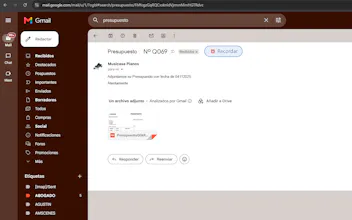
Chrome extension that lives inside Gmail and reminds you to follow up when someone hasn't replied. Click ⏰ Remind, choose 2, 5 or 7 days, and forget about it. Chrome alerts you automatically if there's no reply. No extra apps. No leaving Gmail. No relying on your memory. FREE: 3 reminders, badge, daily digest. PRO €9 one-time: unlimited reminders + templates.


Free Options
Launch Team / Built With


Render: Get up to $100K in startup creditsThe fastest way to launch and scale your startup in the cloud
Promoted
Would love a way to attach a quick note to the reminder so when I do follow up I remember what I originally asked. Like a tiny memo field right next to the day picker.
@lucas_fairfax Great news — that's already there! 🎉 When you set a reminder you'll see a notes field where you can add context like 'offered 10% discount' or 'waiting on budget approval'. It shows up right on the reminder card so you always have the context when you follow up. Let me know if you have trouble finding it and I'll walk you through it!
Sits right inside Gmail so no second app to babysit. The remind button is quick to set and the badge actually shows pending nudges so I stop forgetting about old threads.
@vega_cai That's exactly the goal — Gmail is already where you spend your time, adding another app just creates another thing to check and eventually ignore. Really glad the badge is working for you, that red/green indicator was one of the most requested features early on. Thanks for trying it out! 🙏
Set up a reminder for a cold sales thread I'd been sitting on for weeks, and the badge finally nudged me to follow up. Love that it just lives in Gmail without another tab to babysit.
@zahir_guo That's the exact scenario this was built for — cold threads are the ones that die most often because there's no natural trigger to go back to them. Really glad the badge gave you that nudge at the right moment. Did you end up getting a reply?
Love how the ⏰ button lives right inside Gmail instead of making you bounce to another app, and the 2/5/7 day preset is exactly the kind of small UX touch that keeps it from turning into another settings nightmare.
@sabina_ainsworth The preset days were actually one of the most debated decisions during the build — too few options feels limiting, too many feels like a settings nightmare as you said. 2/5/7 hit the sweet spot for most follow-up scenarios without making you think. Really glad that landed well! And the custom date is always there if you need something more specific 🙌
Love how it just sits quietly inside Gmail without dragging you into another dashboard. The reminder picking 2, 5, or 7 days is a smart little nudge and the one-time €9 is refreshing.
@orin_pace Sits quietly' is exactly the vibe I was going for — the best tools are the ones you barely notice until they save you. Really appreciate the kind words on the pricing too, subscriptions for something this focused never made sense to me. Pay once, use forever. Thanks for trying it out! 🙏
Honestly the fact that it just lives inside Gmail is what sold me, no extra app to open or remember. Set a reminder in like two clicks and forget about it, which is kind of the whole point.
@seatbased That's exactly what I was going for — the fewer steps between 'I should follow up on this' and actually setting the reminder, the more likely you are to actually do it. Thanks for trying it out! Let me know if you run into anything or have ideas for what would make it even more useful for your workflow 🙏