
MacQuit
Quit all running Mac apps in one click from your menu bar
126 followers
Quit all running Mac apps in one click from your menu bar
126 followers
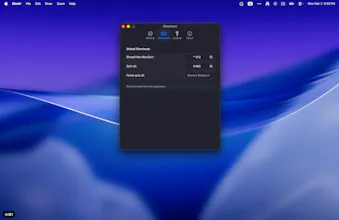
MacQuit lives in your menu bar for instant control over every running app on your Mac. One click quits everything. Hold Option for Force Quit. A timer auto-quits idle apps. CPU & memory stats sit right next to each app name. • One-click Quit All • Force Quit mode • Auto-quit on idle timer • CPU & memory monitoring • Global keyboard shortcuts • $4.99 lifetime, 14-day free trial


Capso
@lzhgus This actually solves a small but very real daily annoyance. When you have a lot of apps open across different workflows, closing everything at the end of the day always turns into that exact whack-a-mole situation you described.
The per-app checkboxes and idle auto-quit idea seem especially useful for cleaning up apps that just sit open in the background.
Curious if most people are using it mainly for end-of-day cleanup or more as a quick way to reset their workspace during the day.
Capso
@hpsimulator Thanks Steven! It's actually a mix of both — some folks use it as an end-of-day "clean slate" routine, while others use it mid-day to reset between context switches (e.g., design → coding workflow). The per-app checkboxes make both use cases easy. The idle auto-quit is especially handy for people who accumulate background apps without realizing it. Appreciate the kind words!
@lzhgus That makes a lot of sense. The context-switch reset is actually a really interesting use case.
When you're jumping between workflows (design → coding → writing), a quick “workspace reset” probably reduces a lot of mental clutter too.
The idle auto-quit feature seems especially useful for catching those background apps that slowly start eating memory over time.
Capso
@hpsimulator Exactly, the "workspace reset" is one of the most popular use cases we're hearing! Switching between design → coding → writing with a clean slate really does cut down on mental clutter.
And yes, the idle auto-quit catches those sneaky memory-hogging apps you forgot about hours ago. We're actually exploring workspace profiles in a future update, imagine saving different app setups for different workflows and switching between them. Thanks for the thoughtful feedback, Steven! 🙌
How does MacQuit handle background helper processes or menu-bar-only apps that don’t have a standard window state when executing a "Quit All" command, and what specific criteria does the idle timer use to differentiate between an inactive app and one performing a background task like rendering or syncing?
Capso
@mordrag Great technical question! MacQuit only targets regular GUI apps (based on macOS activation policy), so background helper processes, agents, and menu-bar-only apps are automatically excluded from "Quit All."
The idle timer currently tracks when an app was last in the foreground — if it hasn't been focused within your chosen threshold (5 min to 8 hours), it's considered idle. You raise a really valid point though — differentiating between a truly idle app and one doing background work (rendering, syncing) is something we're planning for an upcoming release, likely by factoring in CPU and network activity alongside the activation check.
MacQuit is a one-time purchase with free updates forever, so improvements like this will land automatically. Thanks for the thoughtful feedback — it's exactly the kind of input that shapes the roadmap!
Smart idea! Does it intelligently avoid quitting system apps or apps with active processes (like downloads)?
And can you whitelist certain apps to never auto-quit?
Capso
@denious Thanks Denis! Yes — system processes and helper apps are automatically excluded. We currently have a built-in music app protection list (Spotify, Apple Music, etc.) and Finder is always protected. Each app also has its own checkbox for manual control.
A fully customizable "never quit" whitelist is actively being worked on for the next release — so you'll be able to permanently protect any app you choose. Smart detection for active processes (like downloads) is also on the roadmap.
And since MacQuit is a one-time $4.99 purchase with free lifetime updates, all future improvements land automatically — no extra cost. Thanks for the great suggestions!