
Logolyze — Analyze and improve your logo
Analyze. Improve. Create better logos.
5 followers
Analyze. Improve. Create better logos.
5 followers
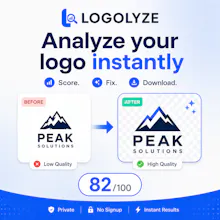
Logolyze goes beyond simple logo scoring. It analyzes resolution, contrast, color simplicity, clear space, balance, transparency, and file efficiency, then automatically creates an improved transparent PNG with better spacing and alignment. It works in the browser, requires no signup, supports PNG, JPG, WebP, SVG, PDF, and compatible AI files, and provides downloadable reports plus Illustrator-specific guidance.


Free
Launch Team

AWS Startup AdvisorPersonalized AWS guidance that meets you where you’re already building
Promoted
@m_hamza_shahid Looks super exciting and thoughtfully made. Congrats on getting it out into the world! 🚀
Honestly the clear space and balance feedback was way more useful than I expected, most tools just yell at you about resolution. Dropped in an old svg and it basically fixed the padding around the mark for me.
Love that it actually checks clear space and balance instead of just slapping a number on it. The auto-exported transparent PNG with proper alignment sounds like a real time-saver for quick iterations.