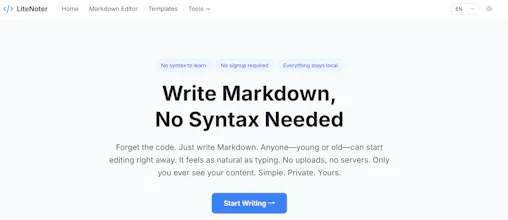
Write Markdown without learning syntax. Edit, format, and convert between MD, HTML, PDF & Word — all with simple clicks, not code. Pick from 40+ ready-to-use templates. Everything runs in your browser: zero upload, zero accounts, no signup.
No reviews yetBe the first to leave a review for LiteNoter - Write Markdown No Syntax
Maker
📌
Hey Product Hunt 👋
Markdown is powerful. Memorizing it isn't.
That's the contradiction I kept running into — and the reason I built
LiteNoter.
It's a free Markdown editor for people who want the clean output of
Markdown... without the syntax. No memorizing `**bold**` or `## headings`.
No split-screen preview breaking your flow. Just write, and the
formatting happens around you.
👵 Built for everyone.
• Your kid writing a school book report
• Your grandparents keeping a family journal
• Your dev friend writing release notes at 11pm
🧰 What's inside (all free, no signup):
• Live preview that doesn't take half your screen
• 15 built-in tools — word count, table editor, Mermaid diagrams,
image upload, find & replace, export to MD / HTML / PDF
• 3 color themes (Classic blue / Warm sepia / Cyan) to match your
mood
• 🔒 100% client-side — your words never leave the browser
🛠 Tech: Tiptap + Vue 3 + Cloudflare. Loads instantly anywhere.
I built this because I watched my mom give up on a "simple" Markdown
editor after 30 seconds of staring at asterisks. If LiteNoter can
get her writing — it can get anyone writing.
Would love to hear who you think Markdown should be for. Let me know
what tool you'd want next 🙌
Report
Does the conversion to Word keep the formatting clean, or do you lose things like tables and code blocks when exporting to .docx?
Report
How does the conversion to Word handle complex formatting like nested tables or images, and are those features available without any paid tier at some point?
Report
The zero-upload browser thing is a nice touch, feels way less sketchy than pasting my notes into random sites. The 40+ templates saved me from staring at a blank page on a Monday morning.
Report
Finally a markdown editor my non-tech coworkers might actually use. The template picker is handy and the local-only approach is a nice bonus.
Does the conversion to Word keep the formatting clean, or do you lose things like tables and code blocks when exporting to .docx?
How does the conversion to Word handle complex formatting like nested tables or images, and are those features available without any paid tier at some point?
The zero-upload browser thing is a nice touch, feels way less sketchy than pasting my notes into random sites. The 40+ templates saved me from staring at a blank page on a Monday morning.
Finally a markdown editor my non-tech coworkers might actually use. The template picker is handy and the local-only approach is a nice bonus.