

Links 2.0
All your links, beautifully organized with Links!
588 followers
All your links, beautifully organized with Links!
588 followers
Save and organize links easily. Sync with iCloud, no account needed. Collections, tags, and privacy. Quick search, notes, and biometric locks. Free, with Pro option for unlimited features. Download Links to simplify your life!
This is the 2nd launch from Links 2.0. View more
Links 2.0
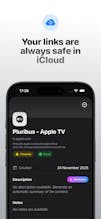
Links 2.0 is a complete redesign of the app that helps you save, organize and find your links across all your devices. Built for iOS 26, it introduces a new navigation bar, a refreshed Home with Recent Links, improved filters, custom accent colors, a new settings screen and a brand-new app icon. Private by default and powered by iCloud sync, with no accounts or tracking.



Free
Launch Team / Built With


Thanks for this. Not sure if anyone has mentioned this, but some English translation are missing
Links 2.0
@dimink Thanks for the heads up! Some strings might still need a final polish. If you spot anything specific, feel free to reach out and send it to manucaralmo@gmail.com it would help me a lot. Really appreciate it!
Does Links require app permissions?Are there any compatibility issues?
Links 2.0
@new_user___2952025292cafa8b536cd71 Thanks for asking. Links does not require any special permissions. Everything runs on device and syncs through your own iCloud account, so there is no need for contacts, location or anything like that.
There are no known compatibility issues. It works on iOS 17 and above, and on Apple silicon Macs using the iPhone version. A native iPad and macOS version is already on the way.
@manuel_carrillo_almoguera Privacy-first link manager with iCloud sync! 🔗
How does the biometric lock work? Can you lock individual collections separately?
Links 2.0
@mskyow Thanks! The biometric lock uses the device’s secure enclave and you can actually choose which collections you want to protect. Just mark a collection as protected and it will require Face ID / Touch ID to open it, while the rest stay accessible. That way you can keep sensitive stuff locked without slowing down your normal workflow
Congrats on the launch! 🚀 Links 2.0 looks incredibly polished.
One question from a founder perspective:
Since the app uses iCloud sync and keeps everything private by default,
how do you think about expanding into collaboration or cross-device/team use cases without compromising privacy or simplicity?
Curious how you see the long-term product direction.
Links 2.0
@antonrivellium Really appreciate it! Keeping everything private and local to the user is a core part of the product, so anything involving collaboration has to fit within that philosophy. iCloud works beautifully for a single person across their devices, but it doesn’t offer a privacy model that scales to shared or multi-user scenarios.
For long-term direction, I’m exploring a hybrid approach where collaboration could happen through ephemeral, end-to-end encrypted sharing rather than persistent multi-user data. That would let people share or work together on specific links or collections without ever introducing accounts or storing data on my servers. I want to expand the use cases, but never at the cost of privacy or simplicity.
Still early thinking, but that’s the direction I’m leaning toward.
Sounds awesome for Apple devices! Though as a Linux gal this isn't for me :)