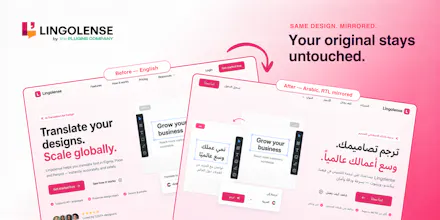
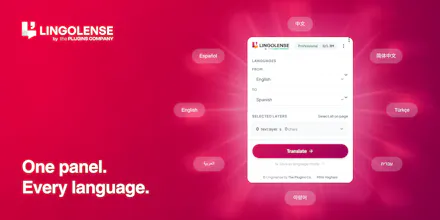
Lingolense brings AI translation & localization right into Figma, FigJam, Slides, Pixso & Penpot. Select text, pick a language, hit Translate — 40+ languages via DeepL + context-aware AI. It's the only one that mirrors RTL layouts properly: reverses auto-layouts, swaps padding, flips directional icons — your original stays untouched. Plus overflow detection, glossary/brand-term control, and CSV/JSON/XLIFF export for devs. One key across all six editors. Free plan, no card.
Hey Product Hunt 👋
I'm Mihir, maker of Lingolense.
For years, localizing a design file meant the same grind: copy text out, paste into Google Translate, paste it back, then manually redo every RTL layout by hand and hunt for buttons that broke because German ran 30% longer. A day of design turned into a week of cleanup.
So we built Lingolense — AI translation & localization that lives inside Figma, FigJam, Slides, Pixso & Penpot. Select text, pick a language, hit Translate. 40+ languages, powered by DeepL + context-aware AI.
The part I'm proudest of is true RTL mirroring. Translate to Arabic or Hebrew and it doesn't just swap the font — it duplicates the frame, reverses auto-layouts, swaps padding, flips directional icons, and right-aligns text. Your original stays untouched.
A few more things designers kept asking for:
• ⚠️ Overflow detection — flags every layer that no longer fits after translation
• 🔒 Glossary & brand-term control — lock names, or force a specific translation per language
• 📦 CSV/JSON/XLIFF export — hand clean strings straight to your devs
• 🔑 One key across all six editors
There's a free plan, no card required.
I'll be here all day answering everything 🙏 — and I'd genuinely love to hear how you handle localization today, and what still makes it painful. That's what shapes what we build next.