This is definitely a hard rush. Looking back, I can hardly believe how far I went.
My experience through this trip:
1, Releasing a software is far more complicated than I thought. Make it alive is just the beginning. Alpha testers and Beta testers, marketing, which platforms to ship it...... And more complicated if it charges money, such as choosing the payment tool, prepare for refunding and taxes......
If you want to make money, definitely you need to do more research. Mine was purely based my own taste and wish XD.
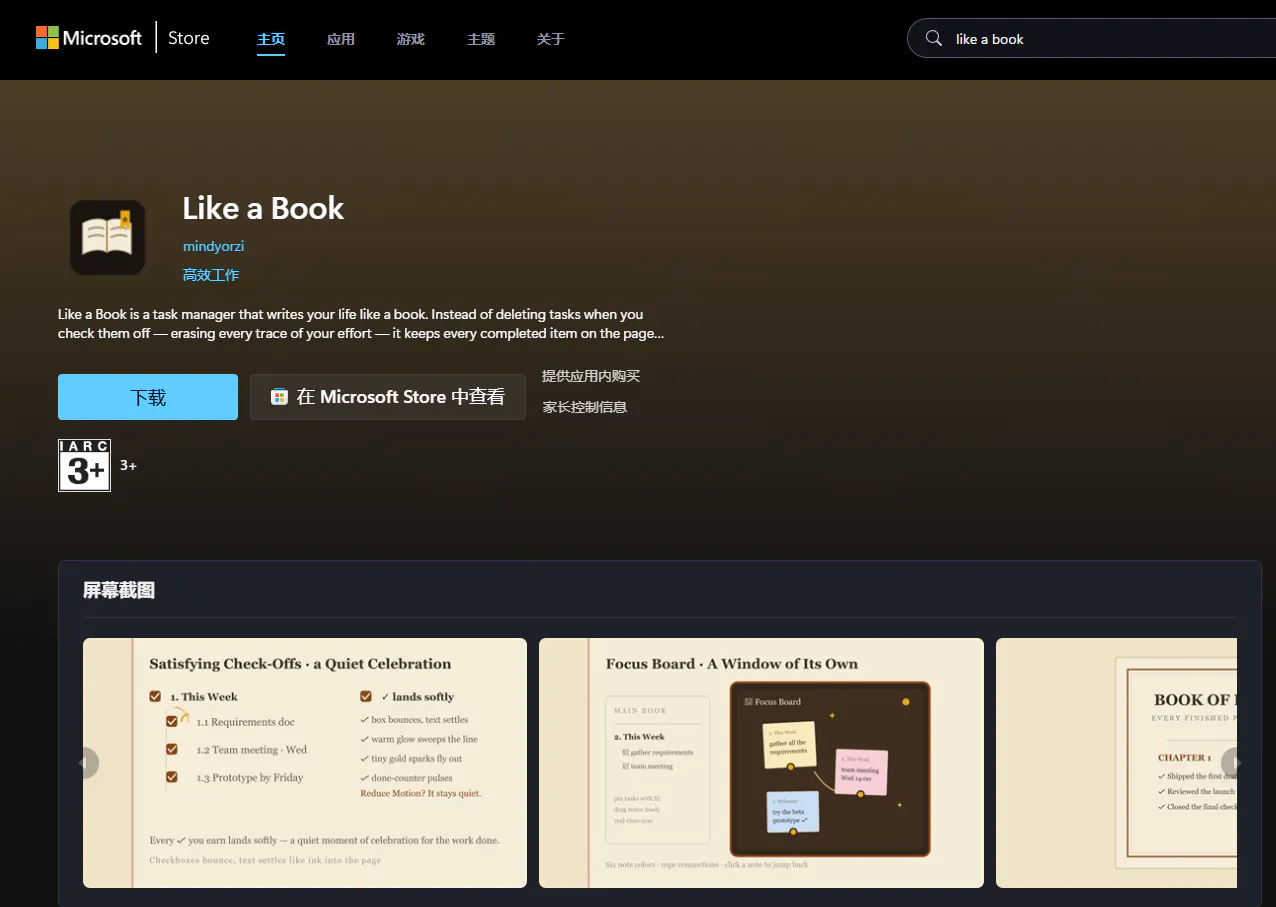
2, The most budget friendly way of releasing a software: Put it on Microsoft store because they give you the proof, so you don't have to buy a certificate, but this depends to your demands. ( I dropped mine directly in my website because I do not prepare enough time for the procedure. But it actually cost less time than I think, all procedures in 1 day in my case. And "Like a Book" is now on Microsoft Store. That's pretty amazing to see that nowadays if you want, you can handle all these tasks with the help of AI)
3. I just learned there is actually two tags in the launch archive, one names "featured" where you can find the most eye-catching tools, such as AI-related tools and something the community cares about the most. The other names "All" where the rest products shows up there.
It feels like taking a roller coaster in the launch day. You keep on checking the votes and get worried about it XD.
An interesting trip anyway.


Hey Product Hunt 👋 :D
Most to-do apps treat "done" as "gone." You get a brief dopamine hit, then blankness. Three months later, nothing is left. Like a Book breaks that logic: completed tasks stay on the page forever, collected in your Book of Done — an archive you can revisit anytime, export as a beautifully typeset PDF, or browse by chapter to see exactly how far you've come.
Like a Book is a task manager that writes your life like a book. Instead of deleting tasks when you check them off — erasing every trace of your effort — it keeps every completed item on the page as a permanent record of your growth.
It works the way you think.
📝Hit Enter to write, Tab to indent, Ctrl+Enter to complete.
✨Each checkmark lands with a bounce, a warm glow, and gold confetti.
📑Organize by chapters with continuous book-wide pagination.
🔖Drop color bookmarks on the spine to jump anywhere instantly.
🪟Pin tasks to a cork-board Focus Board and link them with colored ropes
And more to find out......
Your data is yours. No accounts, no backend, no tracking. Everything lives in your browser, with JSON, TXT, and Markdown export whenever you want.
I built Like a Book because I was tired of watching my own effort disappear in trash bin. A to-do list tells you what's left undone and erase what's done. A book shows you everything you've already written.
Try the full live demo right in your browser — everything auto-saves locally, no installation needed. The Windows desktop app is free for personal use, ~1.2 MB, and fully offline.
If you give it a spin, I'd love to know:
1, does the book metaphor feel right, or does it break down somewhere?
2, Does the Focus Board help you think, or just look pretty?
3, Is the PDF export something you'd share, or never open?
4, Most of all, does keeping your done work around feel accomplished, or just like clutter?
......All feedback welcome!
By the way, it is now available in Microsoft store :)
@mindyorzi This is such a lovely idea! I really like the emotional side of it - most task managers only show you what’s left to do, while this one reminds you of everything you’ve already accomplished.
@adana So happy to know you like it! It means a lot. And you totally get the idea, that feels good as a maker XD