
Light Screen Translator
Copy or translate text from images & protected PDFs
7 followers
Copy or translate text from images & protected PDFs
7 followers
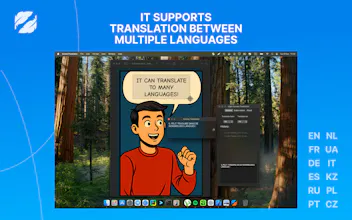
Stop retyping text from images manually. Light Screen Translator is a native macOS utility that lets you grab text from anywhere—protected PDFs, inside videos, or blocked websites. Just highlight any area to instantly translate or copy raw text via OCR. Designed for speed with keyboard shortcuts (Cmd+Shift+L) and (Cmd+Shift+C). Supports the most of Latin and Cyrillic languages. Private, lightweight, and stays out of your workflow.




Congrats on the launch! The app looks very clean and native. I see it supports European languages, but do you have any plans to add support for Asian languages like Japanese or Chinese in the future?
@vadim_kapustin Thanks! Yes, currently we focus on Latin/Cyrillic to ensure max speed, but Asian languages are definitely on the roadmap for v2
This looks exactly like what I need. Quick question: do you plan to support iPad? I use some specific work software in French where parts of the interface and documentation aren't translated, and your tool would be a lifesaver there.
@blinza Thanks! I’d like to support iPad, but iPadOS currently doesn’t allow apps to capture or select arbitrary screen regions from other apps. If Apple adds such capabilities in the future, I’ll bring it to iPad. For now, this workflow is only technically possible on macOS