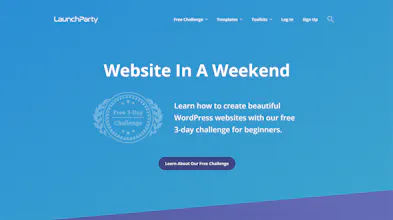
LaunchParty is a completely free 3-day challenge that teaches beginners how to create their first website using WordPress and Elementor Pro. More than 5 hours of step-by-step video tutorials and 600+ Elementor templates are included.
Thanks @bramk for the hunt! Our completely free 3-day challenge teaches beginners how to create and customize every aspect of their website using Elementor Pro.
TEACHING METHOD
Our custom-built learning platform (based on months of user testing) was created for beginners who feel overwhelmed by the thought of creating their first website. We break down the entire process into easy-to-follow video tutorials with fun progress tracking and achievements.
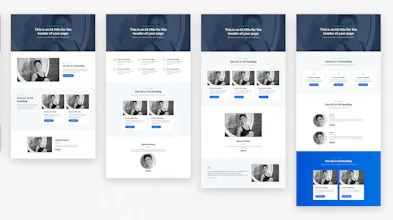
Our teaching method is focused around our collection of 600+ Elementor templates that we created exclusively for our tutorials. Our block-based template system allows beginners to more easily learn Elementor and create unique responsive layouts that match their exact needs.
WHY FREE?
Our goal is to provide free educational resources to entrepreneurs, small businesses, and students from all over the world. Our course is supported by those who purchase SiteGround hosting and Elementor Pro through the links on our website (we do not sell anything).
DAY 1: SET UP WORDPRESS
-Research domain name ideas and register your domain [9 min]
-Sign up for web hosting and install WordPress [8 min]
-Install a SSL certificate and configure WordPress [7 min]
-Install and configure your WordPress theme [4 min]
-Install and configure Elementor and Elementor Pro [8min]
-Create an email address for your domain name [13min]
DAY 2: CREATE YOUR WEBSITE
-Choose your color scheme and download our templates [13 min]
-Choose your Google fonts [9 min]
-Learn what's possible with Elementor [12min]
-Create and design your first page with Elementor [46min]
-Create and design your first blog post with Elementor [29min]
-Create your header and footer [21min]
-Design your logo [24min]
-Create your blog home page and category pages [14min]
DAY 3: IMPROVE YOUR DESIGN
-Save pre-designed widgets and copy/paste styles [6min]
-Download, crop, resize, and compress free stock photos [15min]
-Add background images and overlays [15min]
-Add shape dividers between sections [11min]
-Add box shadows and borders [10min]
-Adjust the tablet layout and mobile layout [8min]
-Adjust padding and margins [21min]
-Add hover animations and entrance animations [9min]
TLDR; LaunchParty is an extremely intuitive and easy-to-follow course for beginners to learn how to launch their first website using WordPress and Elementor Pro.
Report
No reviews yetBe the first to leave a review for LaunchParty