
lans.cloud - Classroom Tools
Ad-free fullscreen classroom tools
10 followers
Ad-free fullscreen classroom tools
10 followers
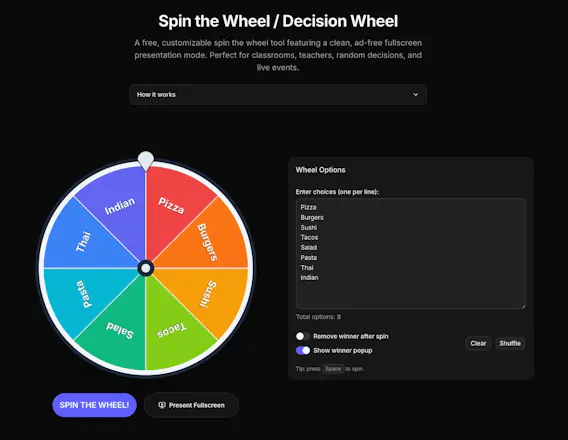
Free browser tools built for the projector: spin-the-wheel picker, random name picker, team generator with skill balancing, countdown timer, and a seating chart generator that can keep specific students apart. The difference: every tool has a genuinely ad-free fullscreen presentation mode. No banners on the smartboard, no popups mid-lesson. No sign-up, nothing uploaded — class lists stay in your browser. You can even embed the wheel or timer directly into your class website.


how does the team generator actually balance for skill when you're only entering names, or is there a way to tag students by level somewhere i missed?
@ouzhanwebe6kif
Good question — it's in there, just too easy to miss (which is on me!).
Toggle "Balance teams by skill rating" in the settings, then add a rating
1–10 after a comma in the names list, like `Alex, 7`. It runs a snake
draft over the sorted ratings so team strengths come out as even as
possible, and anyone without a rating just counts as average — so you
only need to rate the outliers.
You finding it confusing was a legit bug though: the syntax hint only
appeared after you switched the toggle on. Just shipped a fix — it's
always visible now. Thanks for that! Out of curiosity, what's the use
case — sports training or classroom groups?
Finally a classroom tool that doesn't shove ads across my smartboard mid-lesson. The seating chart with kept-apart students is a lifesaver, and embedding the wheel right into our class site took about two minutes.
@sebahat55743037
Thank you! Ads shoved across a smartboard mid-lesson are basically the
reason this project exists — the fullscreen modes are ad-free by design
and will stay that way. Really glad the keep-apart rules are earning
their keep 😄
If the seating chart ever fights your actual room layout (weird desk
arrangements, students who must sit front-row, anything), tell me —
there's a feedback button on every tool page, and most recent features
shipped within a day or two of someone asking.
What grade do you teach, if you don't mind me asking?
Haha that was fun. The tool for generating teams definately saved us lot of discussions. Thank you!
@yani_dimitrova
Hahaha amazing, im glad to hear!