Launching today

KMRVID Muse Skills
23 Figma skills that run in Muse — zero Figma AI credits
3 followers
23 Figma skills that run in Muse — zero Figma AI credits
3 followers
KMRVID Muse Skills ports the Figma skills from the KMRVID Claude / Figma editions to Muse, Meta's personal AI agent. Name a skill in chat, add the Figma URL, and Muse does the work through the Figma connector: pin down requirements, generate pages, clean up structure (layers, tokens, components), translate frames and check accessibility — without consuming any Figma AI credits. (For reference, the same optimization pipeline costs roughly 500 credits per file with Figma's own agent.)


Payment Required
Launch Team

AWS Activate CreditsCredits that fuel your startup’s next milestone
Promoted
Hi Product Hunt — I'm Masaaki Komori, an independent designer / front-end engineer from Tokyo. I've been building custom skills for AI design agents, and this package is the Muse edition of my Figma skill set.
Try one free (GitHub, figma-tidy-up): https://github.com/gaspanik/muse-tidy-up-skill
The short version: these 23 skills let Muse work directly in your Figma files via the Figma connector — generating pages from a brief, restructuring messy files (layers, tokens, components), checking contrast and alt text, translating frames — while using zero Figma AI credits. If you've watched your credit balance melt on pay-as-you-go top-ups, that part may matter. Custom skills for Muse are still new territory, and Figma-focused ones are, as far as I can tell, nearly nonexistent — which is part of why I wanted a complete, working set out early.
The set just grew from 17 to 23 skills, and it now stands on its own (it started as a bonus for my Claude Code / Figma editions — owners of those already have it, so please don't buy twice).
🎁 Product Hunt Launch Offer (Limited Copies)
KMRVID Muse Skills (23 Skills): $49 (was $59) (Save $10 / First 30 copies)
👉 https://gaspanik.gumroad.com/l/kmrvid-museskills/phlaunch
(Use code PHLAUNCH at checkout or click the links above for automatic early-bird discounts)
Everything is plain Markdown, so you can read exactly what each skill does before you run it. Want to try one first? The restructuring skill, figma-tidy-up, is free on GitHub (repo name: muse-tidy-up): https://github.com/gaspanik/muse-tidy-up-skill Happy to answer questions about how the skills are structured, or about running Figma workflows through an agent in general.
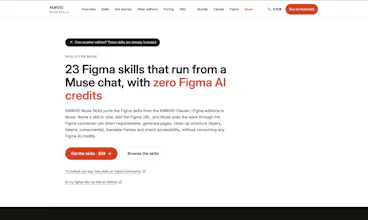
23 Figma skills that run from a Muse chat — with zero Figma AI credits
KMRVID Muse Skills ports the Figma skills from the KMRVID Claude / Figma editions to Muse, Meta's personal AI agent. Name a skill in chat, add the Figma URL, and Muse does the work through the Figma connector: pin down requirements, generate pages, clean up structure (layers, tokens, components), translate frames and check accessibility — without consuming any Figma AI credits. (For reference, the same optimization pipeline costs roughly 500 credits per file with Figma's own agent.)
Because Muse runs in a uniform cloud environment, behavior verified on the development side reproduces in your environment far more reliably than with locally installed tools. Custom skills are plain Markdown folders — readable, adaptable, and usable as study material for writing your own.
New in this release: the set grew from 17 to 23 skills — including a desktop-to-mobile converter, a type-scale generator, and hey-polish-me, which duplicates a frame, polishes its design and copy in place, and documents every change as a native Figma annotation (change / observed fact / basis / expected effect / how to verify). figma-night-cruise can even run the optimization pipeline unattended on a schedule and report back.
What you get
23 skills, each a self-contained folder with a SKILL.md and a LICENSE
A bilingual README (Japanese / English) with a skill reference and usage notes
Free lifetime updates — owners of the other KMRVID editions already receive this set as a bonus, so please don't buy it twice
Get started in 3 steps
Hand the distribution ZIP (or the unzipped folders) to Muse and ask it to install the skills.
Connect the Figma connector in Muse, and make sure you have edit permission on the target file.
Name the skill in chat — e.g. "Run figma-tidy-up on this file" plus the Figma URL. Every write to Figma asks for your approval first.
Runs in Muse through the Figma connector. Muse and Figma plan fees are not included in the price.
Website (details / all 23 skills): https://kmrvidskills.dev/en/muse/
Get it (Gumroad): https://gaspanik.gumroad.com/l/kmrvid-museskills
Launch link with the $10 promo applied: https://gaspanik.gumroad.com/l/kmrvid-museskills/phlaunch
Demo video: https://youtu.be/JPPOy0U4qL4
Walkthrough playlist: https://www.youtube.com/playlist?list=PLJ_bPOBVpGbI
(Japanese Audio w/ English CC)
Launch post on X: https://x.com/cipher/status/2116356700450246690