
KeyPDF
Edit PDF files natively in your browser.
7 followers
Edit PDF files natively in your browser.
7 followers
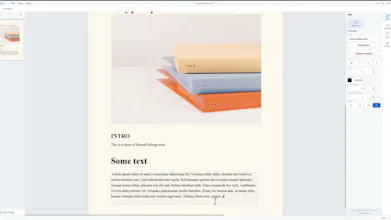
Free PDF editor that runs 100% in your browser. Edit existing text, images and pages. No signup, no watermark, no upload. Files never leave your device.


Free
Launch Team / Built With


LightfieldAI-native CRM that builds itself and does work for you
Promoted


When I was at school, I needed to quickly edit a PDF file that my teacher assigned to us, and I spent some time figuring out how and, after around 10 minutes, gave up and ended up using some website with file uploads and signup requests to save it. That day I was wondering why there isn't any good free PDF editor in the browser that is actually working but only some sites that offer editing, but in fact, they are only annotation support or sites with online uploads and signup requirements. So I just started making my own one from scratch and turned it into the real project I was working on at home and at school to get it done, averaging 30-40 hours every week, and now it's finally ready to present.
How does the editing actually work if files never leave my device, is it a full PDF engine running client-side or just basic text overlay?

@sudenureliqx6g PDF engine runs on client side without any overlays you can try yourself load page turn off Internet and drop pdf file
How does editing actually work if everything stays on my device, is there any catch with larger or scanned PDFs?
@durmuorakz1qjs Large files of any size can be opened by keypdf the only question is if your device will have enough for it.
Runs smooth right in the browser and editing the actual text worked better than I expected. Love that nothing leaves my laptop, no account fuss either.
@azad1216215 Thanks for using Keypdf, glad you like it.