
JustSend
Apple Intelligence thinks. JustSend keeps it.
2 followers
Apple Intelligence thinks. JustSend keeps it.
2 followers
JustSend is a private memory app for iPhone, iPad, and Mac, powered by Apple Intelligence. Send links, text, images, PDFs, documents, or voice and find them again later. Summaries, OCR, transcription, and search run on-device, with no cloud AI required. End-to-end encrypted sync keeps your data private. On Mac, MCP and agent plugins can also save your agents’ tasks and work history. Just send it. Find it later.




Hi everyone 👋
I’m the solo developer behind JustSend.
Why I built it
I kept saving things everywhere.
Links, screenshots, PDFs, voice notes, random thoughts, things I wanted to read later. Saving them was easy. Finding them again usually wasn’t.
So I wanted to make something much simpler:
Send something now. Find it when you need it later.
I also knew pretty early that I didn’t want JustSend to become another AI chat app. The things we save can become very personal over time, and I didn’t want the product to depend on sending all of that memory to an AI server.
What JustSend does
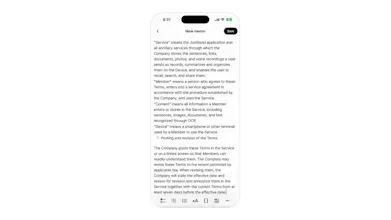
You can send text, links, images, PDFs, documents, and voice recordings into one place.
JustSend uses on-device intelligence for things like summarization, OCR, transcription, understanding documents, and search.
There isn’t a chatbot you have to manage. Most of that work just happens in the background.
It works across iPhone, iPad, and Mac, with end-to-end encrypted sync between your devices.
It also remembers what my agents are doing
This became an important part of JustSend while I was building it.
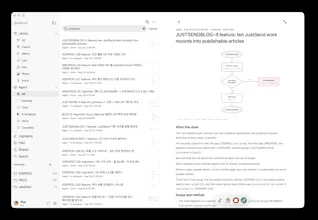
On the Mac, I use coding and work agents through MCP and agent plugins. JustSend can record their tasks and work history too.
So alongside the things I save myself, I can see what an agent worked on, whether a task is in Backlog, Todo, In Progress, Done, or Canceled, and open the actual work record later.
For me, that means JustSend isn’t only remembering what I saved.
It also remembers what my agents did.
And both are searchable in the same place.
The idea is still simple
Even with all of that underneath, I don’t want the product itself to feel complicated.
The whole idea is basically:
Send anything. Remember it privately.
I’ve been building JustSend on my own for the past month, and I’ve been using it every day while building it.
It’s been a pretty intense month, but I finally have something I’m comfortable putting in front of other people.
If you try it, I’d genuinely like to know what feels useful, what feels confusing, and what you expected to be there but couldn’t find.
Thanks for taking a look 🙌