
Input Benchmark
Clean hardware and cognitive benchmarking tools.
14 followers
Clean hardware and cognitive benchmarking tools.
14 followers
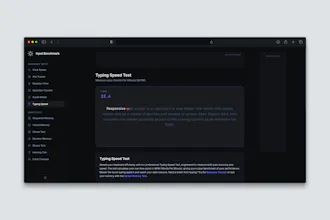
Benchmark your hardware performance and cognitive skills with a suite of clean, instant-loading tools. Test your CPS, reaction time, memory, and precision completely free from heavy layouts and performance-choking tracking scripts. Built for gamers and tech enthusiasts who value raw speed and accurate results.




how accurate are the reaction time tests compared to something like humanbenchmark since browser latency can vary so much between setups
@aleynarr7b
Great question. You're completely right that browser overhead is the biggest hurdle for any web-based benchmark. Both this site and other benchmark sites rely on the browser's event loop and high-precision timers (performance.now()).
Where Input Benchmark differs is overhead reduction. Other benchmarks sites has grown quite heavy over the years with third-party tracking scripts, ad network scripts, and heavier DOM structures, all of which can introduce micro-stuttering and inflate execution latency in the browser's main thread. By keeping this suite 100% client-side, minimalist, and entirely free of background trackers, the browser thread stays clear. It won't beat a dedicated local C++ hardware poll, but it aims to be as close to the bare-metal browser limit as possible.
Thank you for showing interest.
Best regards
Asger G.
Does the benchmark give consistent scores across runs, or does the lack of ads/trackers mean I should expect different hardware variance between attempts?
@ersin156178 Thank you for the question, but it’s actually the exact opposite!
The lack of ads and tracking scripts means your scores will be much more consistent across runs.
Traditional benchmark sites are bloated with third-party tracking, cookie consents, and heavy ad networks that constantly trigger random CPU spikes, garbage collection pauses, and layout shifts in the background. That background noise is usually what introduces weird, artificial variance between attempts on web tests.
Because this suite is completely stripped of all that clutter, the browser’s main thread is fully dedicated to handling your inputs and rendering frames via requestAnimationFrame. Any variance you see here will just be your actual hardware performance and your own human reaction time.
Thank you for showing interest!
Best regards
Asger G.
A leaderboard with optional anonymous profiles would be a great addition, letting people compare their scores against others globally or filtered by hardware specs. It would add replay value and help spot whether certain CPUs or mice actually make a measurable difference in CPS and reaction tests.
@abanaltmgzpk
Thank you for the feedback! Filtering a leaderboard by stuff like monitor Hz or mouse polling rate would be super cool.
Right now, everything runs 100% client-side to keep it fast and private. But adding a lightweight, anonymous leaderboard with hardware specs is definitely on my to-do list for the future.
Best regards
Asger G.
Hey Product Hunt!
I’m Asger, the creator of Input Benchmark.
I’ve always loved benchmarking my setup and testing my reaction times, but lately, I’ve been frustrated by how heavy and bloated most online testing utilities have become. Many of them are packed with intrusive background scripts and ad networks that block the browser's main thread—causing micro-stutters and input lag at the exact millisecond you click or type.
Because your gaming gear is only as fast as your brain’s actual processing loop, I wanted to build a pure, low-latency alternative that tests both in perfect sync. So, I built Input Benchmark from scratch using React and Vite.
By keeping the DOM completely light, avoiding heavy UI frameworks, and running everything client-side, the goal was to ensure that the latency you experience comes from your hand and mind, not a cluttered render path.
What you can benchmark right now (13 tools):
The Hardware Suite: Click Speed (CPS), Aim Trainer, Reaction Time, Scroll Wheel velocity, and Spacebar Counter.
The Brain & Senses Suite: The classic Chimp Test, Sequence Memory, Verbal Memory, Number Memory, Stroop Test, Color Contrast, and high-frequency Hearing.
It's completely free, responsive, and built for maximum speed and zero friction.
I’ll be hanging out here in the comments all day. Try it out, test your gear and cognitive limits, and let me know your high scores, feedback, or what tests I should code next!
Runs instantly with zero lag and the reaction time test felt spot on against my monitor's actual refresh rate. Really appreciate that it's all client side with no ads.
@zcanns5q Thank you so much for the feedback!
Best regards
Asger G.
Welcome to Input Benchmark! Our creator is in the comments below to answer questions.
the fact that it loads instantly without any tracking scripts is honestly such a relief compared to other benchmark sites. Clean and fast, exactly how it should be.
@zgrpayc06lc Thank you so much for the feedback!
Best regards
Asger G.