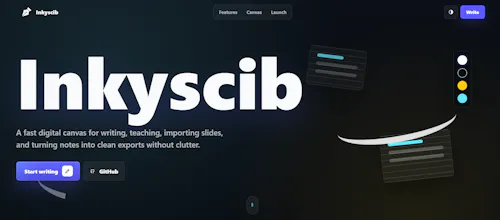
Inkyscib is a modern browser-based digital notebook that lets you write, draw, annotate PDFs, edit presentations, and organize your notes, all in one place. Designed for students, educators, and professionals, Inkyscib works seamlessly across devices with no installation required, making note-taking simple, fast, and accessible from anywhere.
No reviews yetBe the first to leave a review for Inkyscib
Maker
📌
I wanted a single place where people could write notes, sketch ideas, annotate PDFs, and create presentations without installing heavy software or switching between multiple apps. Many existing note-taking tools are either expensive, platform-specific, or lack the flexibility needed by students and professionals. Inkyscib was built to provide a fast, browser-based workspace that's accessible from anywhere.
Inkyscib helps users stay productive by combining note-taking, drawing, PDF annotation, and presentation creation into one seamless platform. Whether you're a student taking class notes, a teacher preparing lessons, or a professional brainstorming ideas, Inkyscib makes it easy to organize, edit, and access your work from any device with a web browser.
Report
How does Inkyscib handle syncing notes across devices when working offline, and is there any limit on storage or file size for PDFs and presentations?
Report
Maker
@lyas1059603 No across devices it doesn't directly, that is first you need to export the notebook data and if you share it to another device and import it from there it will.
Report
Maker
@lyas1059603 For storage at the end it depends on your device how much of data it can handle. Since it runs those things client side.
Report
How does Inkyscib handle offline access when you need to jot things down without a connection, and does it sync cleanly once you're back online?
Report
Maker
@yavuzaliolceop Great question and yes it does, the thing is the internet is only required to connect to the site then it's all getting saved on your browsee cache.
Report
Took it for a quick spin on my laptop and tablet, and the PDF annotation feels really smooth without any lag. Nice that everything just works in the browser without installing anything.
Report
Maker
@abdullahsa7xy Thanks a lot for the feedback hope it helps you in day to day life, any feature you need feel free to message me on LinkedIn.
Report
Maker
@abdullahsa7xyGlad you tried it on both laptop and tablet. Was there anything that felt slow or missing? I'm actively improving Inkyscib based on early feedback.
Report
the pdf annotation feels surprisingly smooth for something that runs in the browser, and i love that i can jump straight into editing without signing up first
Report
Maker
@c_kurtar55949 Thanks a lot for the feedback, and yes that was the point, no signup, just straight to point.
How does Inkyscib handle syncing notes across devices when working offline, and is there any limit on storage or file size for PDFs and presentations?
@lyas1059603 No across devices it doesn't directly, that is first you need to export the notebook data and if you share it to another device and import it from there it will.
@lyas1059603 For storage at the end it depends on your device how much of data it can handle. Since it runs those things client side.
How does Inkyscib handle offline access when you need to jot things down without a connection, and does it sync cleanly once you're back online?
@yavuzaliolceop Great question and yes it does, the thing is the internet is only required to connect to the site then it's all getting saved on your browsee cache.
Took it for a quick spin on my laptop and tablet, and the PDF annotation feels really smooth without any lag. Nice that everything just works in the browser without installing anything.
@abdullahsa7xy Thanks a lot for the feedback hope it helps you in day to day life, any feature you need feel free to message me on LinkedIn.
@abdullahsa7xyGlad you tried it on both laptop and tablet. Was there anything that felt slow or missing? I'm actively improving Inkyscib based on early feedback.
the pdf annotation feels surprisingly smooth for something that runs in the browser, and i love that i can jump straight into editing without signing up first
@c_kurtar55949 Thanks a lot for the feedback, and yes that was the point, no signup, just straight to point.