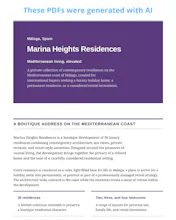
Most AI tools hand you a document you cannot touch. iGenPDF keeps you in control from the first prompt to the final file. Start from a prompt, or from your own PDF, DOC or DOCX. Refine it with follow-up instructions that change the content, the design, or both. Then a visual editor lets you rewrite, move or delete blocks, add page breaks and adjust spacing against the real page boundaries. The preview is the PDF. No subscription: 10,000 free credits on signup.
Hey Product Hunt!
I kept hitting the same wall. AI could write a decent document in seconds, but the moment I needed it as an actual PDF, properly laid out and with sensible page breaks, I was back in Word fixing headings stranded at the bottom of page 3.
So I built iGenPDF around one idea: writing and layout should not live in different tools.
You describe the document you want, or attach a PDF, DOC or DOCX to start from. From there you keep talking to it ("shorten the intro", "warmer palette"), and each instruction can touch the content, the design, or both, so you never redo the part that was already right. When the text is good, you move into a visual editor: rewrite, move or delete blocks, add page breaks, adjust spacing and font size, all against the real page boundaries. What you see in the preview is what you download.
Pricing is pay as you go. You get 10,000 credits when you sign up, there is no subscription, and credits are only spent when you generate a document.
I would love to know what you would use it for, and where it falls short. Every bit of feedback goes straight into the roadmap. Thanks for taking a look!
Report
No reviews yetBe the first to leave a review for iGenPDF